AI Voice Changer. Upload Audio, Transform in Seconds.
Upload any audio or video file into the AI voice changer, pick from 69+ characters, and download your transformed audio. Works in your browser on any device.
Drop an audio or video file here
Up to 50 MB and 15 minutes
Three Steps. No Setup.
Upload, pick a voice, download.
Upload Your File
Drag and drop any audio or video file. Supports MP3, WAV, MP4, MOV, and more. Files up to 50MB and up to 15 minutes of audio.
Pick a Voice Character
Browse 69+ AI voice characters. Preview any voice before applying it so you know exactly what you will get.
Transform and Download
One click transforms your audio. Download the result as MP3 and use it in any video editor, podcast, or social post.
Built for Creators, Not Just Gamers
Voice changers got popular in gaming. Content creators have different needs: a voice that sounds human, works on uploaded files, and fits into a production workflow.
Video Creators
Add character voices to your videos, build a persona, or narrate in a different accent. No voice actor required.
Podcasters
Bring characters to life, stay anonymous, or add variety to solo episodes without extra recording sessions.
Professionals
Create polished voiceovers for training videos, product demos, and client presentations. No studio setup needed.
A Voice Library That Actually Sounds Human
Simplified's voice library uses ElevenLabs AI, the same technology behind major studios and global platforms. The AI reads the pacing, emphasis, and emotion from your original recording and keeps those qualities in the new voice. When you change a voice, it still sounds like something a real person recorded. Not a robotic filter. With 69+ character voices across ages, genders, accents, and languages, there is a voice for every kind of content.
Browse Voice CharactersHear Any Voice Before You Apply It
With 69+ characters in the library, finding the right voice matters. Click any character and hear a preview before applying it to your file. You know exactly what you are getting before you commit. No guesswork, no download-and-regret cycle.
Preview Voice CharactersUpload a Video. Get Back a Voice-Changed Audio File.
Most voice changers only accept audio. Simplified accepts video too. Upload an MP4, MOV, WebM, MKV, or AVI file directly. The tool pulls the audio track, transforms the voice, and returns the result as an MP3. You save a manual extraction step. Supports files up to 50MB and up to 15 minutes of audio.
Try with a Video FileMore Voice and Audio Tools
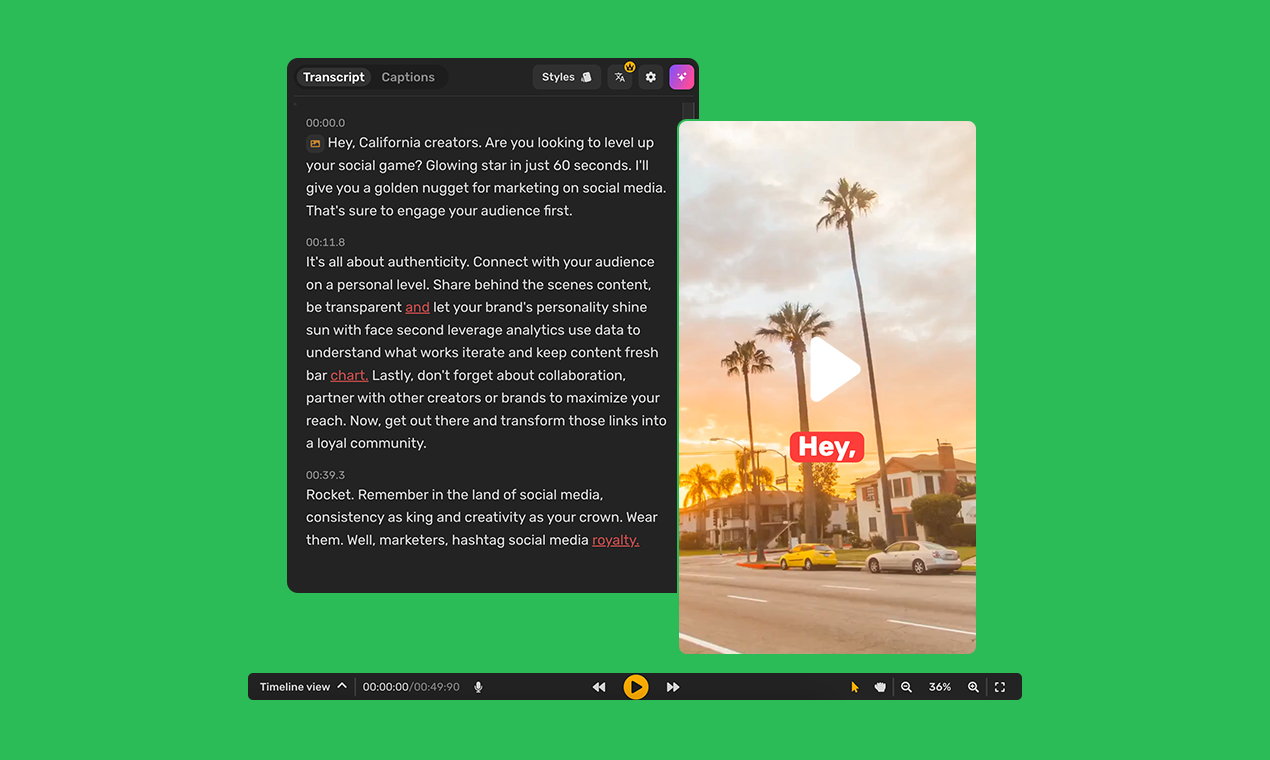

Speech to Speech: AI Voice Changer
Upload any audio or video file and transform the voice with one click
AI Voice Changer FAQs
And some things you'd ask us.
How does the AI voice changer work?
You upload an audio or video file, pick a voice character from the library, and the AI recreates your recording in the new voice. It preserves the timing, pacing, and emotion of your original audio. The output is ready to download as an MP3.
How many voice characters are available?
The library includes 69+ AI voice characters across different ages, genders, accents, and languages. You can preview any character before applying it to your file.
Do I need to install software?
No. The tool runs entirely in your browser. It works on Chrome, Firefox, Safari, and Edge, on desktop, tablet, and mobile.
What audio and video formats does it support?
Audio formats: MP3, WAV, M4A, OGG, FLAC. Video formats: MP4, MOV, WebM, MKV, AVI. The tool automatically extracts audio from video files.
What is the maximum file size and audio duration?
The tool supports files up to 50MB and up to 15 minutes of audio, which covers most podcast episodes, YouTube videos, and short social content.
Can I use the output in commercial projects?
Yes. Content created with the voice changer can be used in YouTube videos, podcasts, social media posts, client work, and other commercial projects.
What is speech-to-speech AI?
Speech-to-speech AI takes an existing voice recording and transforms it into a different voice. Unlike text-to-speech, which generates audio from typed text, speech-to-speech preserves the natural rhythm and emotion of the original recording.
How is this different from ElevenLabs?
Simplified uses ElevenLabs AI for voice transformation. ElevenLabs is a standalone voice platform. Simplified packages the same voice-changing technology inside a broader content tool, so you can go from upload to finished audio without switching between products.
Can I create my own AI voice?
Yes. The tool includes controls for stability, similarity, style exaggeration, and speaker boost so you can fine-tune any character voice. Custom voice creation is also available for more advanced use cases.
What does the emotional range feature do?
The emotional range controls how expressive the AI voice sounds. A higher setting produces more varied, dynamic delivery. A lower setting gives a more neutral, consistent tone. Adjust it to match the energy of your content.
What creators say about Simplified
Very easy to use and convenient
Creating a video is never been so easy. Now I dont have any tension about giving voice over in my videos

I was a skeptic, but this technology is unbelievable!
I am blown away at how practical the technology is to use. The technology was able to write something heartfelt for my customers but in my voice.

BEST IN CLASS
Can generate video with stock footage, music and voice over. everything in one place.

It's exciting
Text to video is the most effective problem solver
Searching for a free version.
Haven't explored all of the simplified, used rewrite and that amazing voice and tone I can select and save a lot of time.
Have more abilities to integrated with social media, can provide voice interaction.
