By
By |
Getting your Trinity Audio player ready...
|

You’re paying $190 a month for marketing tools. Canva for design. Jasper for writing. Hootsuite for scheduling. A video editor. Maybe a chatbot tool too. Five logins. Five learning curves. Five bills hitting your card every month.
And you’re still copying and pasting between tabs.
AI marketing tools aren’t optional anymore. They’re how small teams compete with bigger budgets. But there’s a second shift happening on top of that one, and most “best AI marketing tools” guides — including earlier versions of this one — haven’t caught up to it yet: the tools themselves are starting to stop waiting for you to do the copying and pasting at all.
This guide covers both. The categories you already know (writing, design, video, social scheduling), and the newer one that’s reshaping all of them: AI agents that don’t just generate content, they run the whole workflow.
Let’s cut through the noise.
What are AI marketing tools?
AI marketing tools are software platforms that use artificial intelligence to help you create, manage, and optimize marketing content. They handle tasks that used to require specialized skills or expensive agencies: writing blog posts, designing graphics, editing videos, scheduling social media, and analyzing performance.
The key difference from traditional marketing software? AI tools don’t just automate tasks, they generate content. A traditional design tool gives you templates. An AI design tool creates custom graphics from a text description. A traditional scheduler posts content you create. An AI-powered platform writes the caption, designs the image, and schedules the post.
Categories of AI marketing tools
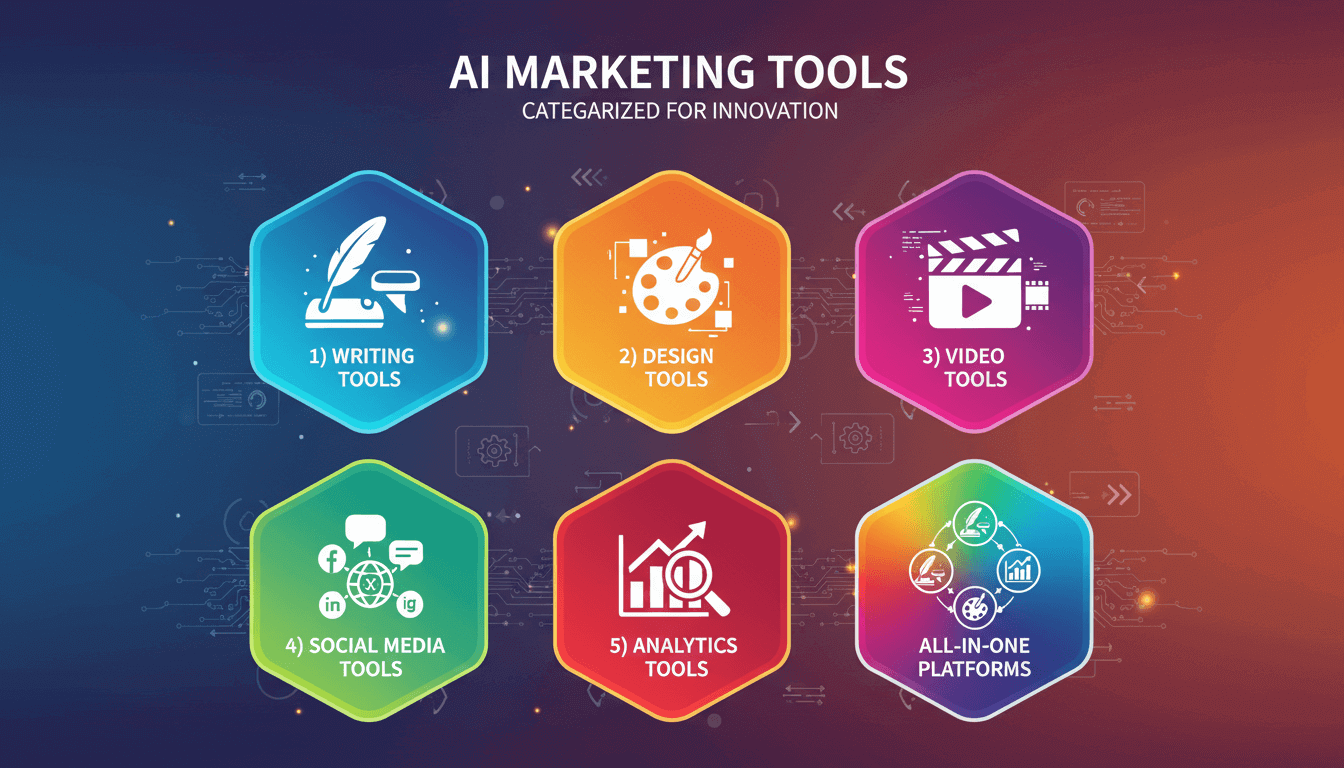
AI marketing tools fall into seven main categories in 2026 — one more than this space had even a year ago:
- AI writing tools: Generate blog posts, social captions, email copy, ad text, and product descriptions
- AI design tools: Create graphics, presentations, thumbnails, and visual content from prompts
- AI video tools: Edit footage, generate videos from text, add subtitles, and repurpose long-form content
- AI social media tools: Schedule posts, analyze performance, manage multiple accounts, optimize posting times
- AI analytics tools: Track campaign performance, predict trends, segment audiences, measure ROI
- AI marketing agents: Take a single brief and autonomously plan, create, and execute a campaign across the categories above, with your approval built in — the newest and fastest-growing category
- All-in-one AI platforms: Combine multiple capabilities into a single workspace
For small businesses, the last two categories deserve the closest attention — and one of them barely existed when this guide was first written.
The category most guides are still missing: AI marketing agents
Here’s the shift worth naming directly. Through 2025 and into 2026, the major AI labs and marketing platforms all moved in the same direction at roughly the same time: from “generate content when asked” to “here’s a brief, go run the campaign.” OpenAI’s and Google’s newer models both leaned into autonomous, multi-step execution. Copy.ai repositioned itself entirely around agentic go-to-market workflows. And Simplified introduced Riley, an AI marketing agent built directly into its platform.
The practical difference matters. A traditional AI writing tool still requires you to prompt it, review the output, move it to a design tool, prompt that separately, then move to a scheduler. An agent collapses that chain: you give it a goal (“promote our summer sale across Instagram and email this week”), and it plans the content calendar, drafts the copy, generates the visuals, and queues everything for your approval before anything publishes.
This isn’t a replacement for the categories below — an agent still relies on writing, design, and scheduling tools underneath it. It’s closer to a project manager sitting on top of the tools you already use, and it’s quickly becoming the differentiator between AI marketing platforms in 2026 rather than a nice-to-have add-on.
Key players:
HubSpot Breeze: HubSpot’s AI layer (including Breeze Copilot) now spans much of its CRM and marketing hub, with growing agentic capability for campaign tasks.
Riley (by Simplified): An AI marketing agent built into Simplified’s platform, taking a brief through planning, content creation, brand-matching, and scheduling, with approval gates built in.
Copy.ai’s agent workflows: Copy.ai has rebuilt much of its platform around agentic go-to-market automation, including CRM data workflows, aimed more at sales-and-marketing operations teams than solo creators.
The hidden cost of marketing tool sprawl
Let’s do some math that most “best AI marketing tools” articles conveniently skip.
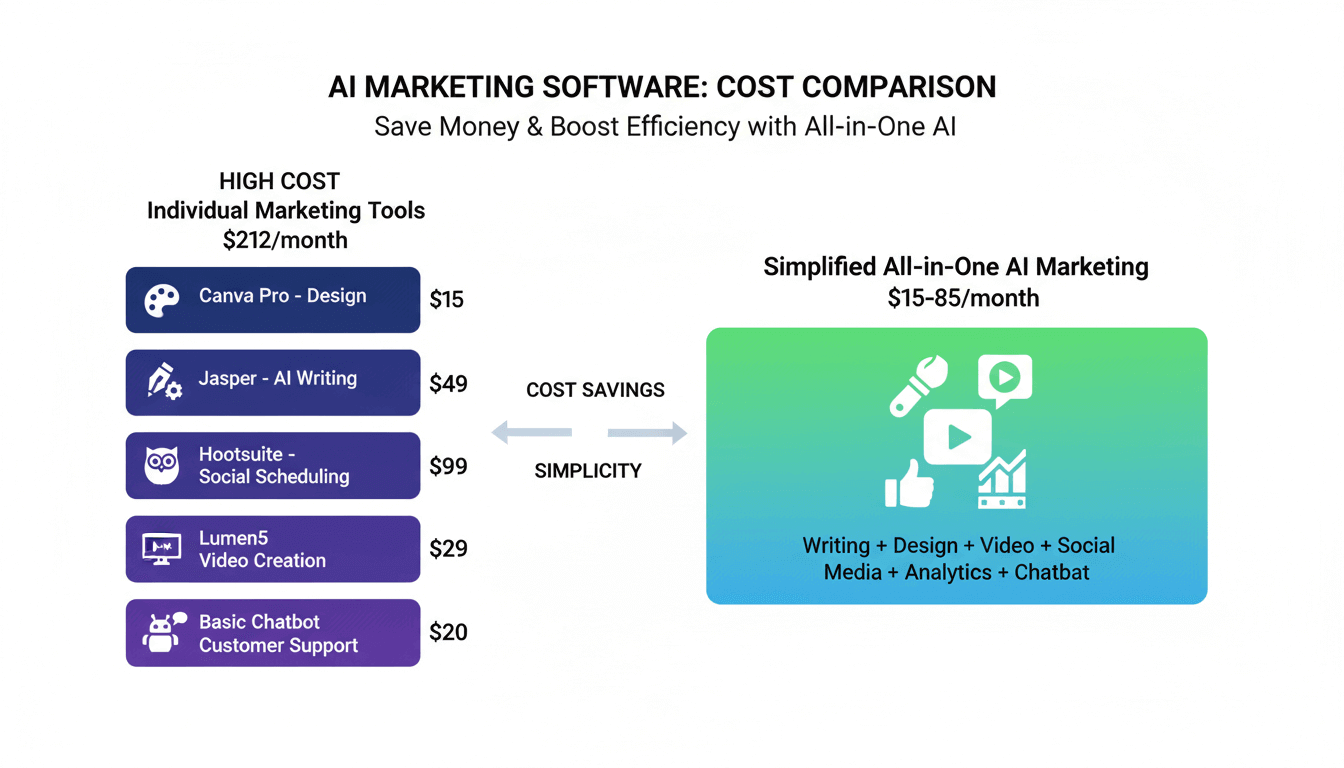
A typical small business marketing stack looks like this:
| Tool | Monthly Cost | What It Does |
|---|---|---|
| Canva Pro | $15 | Design |
| Jasper | $39-49 | AI writing |
| Hootsuite | $99 | Social scheduling |
| Lumen5 or similar | $29 | Video creation |
| Basic chatbot | $20 | Customer support |
| Total | $202-212/month | $2,424-2,544/year |
That’s before you factor in the hidden costs:
Time cost: Every time you switch between tools, you lose momentum. Create a graphic in Canva. Export it. Open Jasper. Write the caption. Copy it. Open Hootsuite. Upload both. Format the post. Schedule it. That workflow takes 15-20 minutes per post. Multiply by 20 posts a week.
Consistency cost: Your brand colors in Canva don’t automatically apply in your video editor. Your brand voice guidelines in Jasper don’t sync with your chatbot. Every tool is a silo. Every silo creates inconsistency.
Learning cost: Five tools means five interfaces, five sets of features, five update cycles to track. Your team spends hours learning software instead of creating content.
The real question isn’t “which AI marketing tools are best?” It’s “how many tools do I actually need?” The best AI marketing software solves multiple problems without creating new ones.
How to choose AI marketing tools for your business
Before comparing features, answer these questions:
What’s your actual workflow?
Map out how content moves from idea to published. If you’re creating graphics in one tool, writing copy in another, and scheduling in a third, you’re paying a “context-switching tax” every single day.
What’s your total budget?
Don’t compare tools in isolation. Compare the total cost of your marketing tech stack. A $30/month platform that replaces three $50/month tools saves you $120/month.
How technical is your team?
Professional designers might want Photoshop-level control. Everyone else wants templates that work without tutorials. Be honest about your team’s skill level and the time available for learning new tools.
Do you need specialist depth or general breadth?
Enterprise marketing teams with dedicated roles can justify best-in-class tools for each function. Small teams wearing multiple hats need tools that do many things well enough.
Key evaluation criteria
When comparing AI marketing tools, prioritize:
- Integration: Does it connect with tools you already use? Can you publish directly to your platforms?
- Brand consistency: Can you set up your colors, fonts, and voice once and apply them everywhere?
- True cost: What’s the total price including the features you actually need?
- Learning curve: How long until your team is productive? Days or weeks?
- Scalability: Will it grow with you, or will you outgrow it in six months?
Best AI marketing tools by category
AI Writing tools
AI writing tools generate text content from prompts. They’re trained on massive datasets to produce blog posts, social captions, email copy, ad text, and more.
What they do well: First drafts, brainstorming, overcoming writer’s block, creating variations for A/B testing, repurposing content across formats.
What they don’t do well: Original reporting, expert opinions, brand voice without training, fact-checking. AI writing always needs human editing.
Key players:
- ChatGPT: The generalist. Handles nearly any writing task. Free tier available, Plus at $20/month. Best for: versatile writing needs, research, brainstorming.
- Jasper: Built specifically for marketing copy. Templates for ads, emails, blog posts. Starts at $49/month. Best for: dedicated content teams who need marketing-specific outputs.
- Copy.ai: Similar to Jasper with a focus on shorter copy. Starts at $49/month. Best for: ad copy, social posts, product descriptions.
The integration problem: Standalone AI writers create text. You still need to design graphics, format for different platforms, and schedule posts. That means more tools, more subscriptions, more context-switching.
Consolidated alternative: Platforms like Simplified include AI writing alongside design and scheduling. You generate the copy, create the visual, and publish from the same workspace.
AI Design tools

AI design tools create visual content from text prompts or templates. They’ve made professional-looking graphics accessible to non-designers.
What they do well: Social media graphics, presentations, thumbnails, basic photo editing, brand-templated content.
What they don’t do well: Complex photo manipulation, custom illustrations requiring artistic direction, print-ready production files.
Key players:
- Canva: The market leader for template-based design. AI features include Magic Write and text-to-image. Pro at $15/month. Best for: teams who need extensive template libraries.
- Adobe Express: Adobe’s simplified design tool. Strong integration with Creative Cloud. Premium at $10/month. Best for: teams already in the Adobe ecosystem.
- Midjourney: Specialized AI image generation. Creates unique artwork from text prompts. $10/month. Best for: custom illustrations and creative visuals.
The integration problem: Canva designs need to be exported, then uploaded to your scheduling tool. Your brand colors don’t automatically apply in your video editor or AI writer.
Consolidated alternative: AI design platforms that include writing, video, and scheduling let you create content and publish it without leaving the workspace. Brand Kit features apply your colors and fonts automatically across all content types.
Bonus: Simplified vs Canva: Which Tool is Better for Marketing Teams?
AI Video tools

AI video tools help create and edit video content without professional editing skills. They can generate videos from text, add subtitles, extract clips from long-form content, and apply effects.
What they do well: Text-to-video creation, automatic subtitling, repurposing long videos into short clips, basic editing for social content.
What they don’t do well: Complex motion graphics, cinematic editing, color grading for professional production.
Key players:
- Synthesia: Creates videos with AI avatars from scripts. Best for: explainer videos, training content. Starts at $29/month.
- Descript: Text-based video editing with excellent transcription. Best for: podcast repurposing, interview editing. Starts at $15/month.
- Lumen5: Turns blog posts into videos. Best for: repurposing written content. Starts at $29/month.
The integration problem: Video tools don’t connect to your writing or design workflow. You write a script somewhere else, create visuals somewhere else, then assemble in the video tool.
Consolidated alternative: All-in-one video tools that include AI Clips extraction, subtitle generation, and text-to-video alongside your design and scheduling workflow. Turn one long video into multiple short clips without switching platforms.
AI Social Media Management tools

AI social media tools help schedule, publish, and analyze content across multiple platforms. Features of AI optimize posting times, suggest content, and automate responses.
What they do well: Multi-platform scheduling, analytics and reporting, unified inbox management, optimal posting time suggestions.
What they don’t do well: Content creation. Most schedulers assume you’re bringing content from somewhere else.
Key players:
- Hootsuite: The enterprise standard. Comprehensive analytics, team features, many integrations. Starts at $99/month. Best for: larger teams managing many accounts.
- Buffer: Simpler interface, more affordable. Starts at $6/month per channel. Best for: solopreneurs with basic scheduling needs.
- Later: Visual-first scheduling, strong for Instagram. Starts at $25/month. Best for: image-heavy content strategies.
The integration problem: Every one of these tools assumes content is created elsewhere. You design in Canva, write in Jasper, then upload to Hootsuite. Three tools, three bills, three workflows.
Consolidated alternative: Social media management platforms that include content creation let you design, write, and schedule in one workflow. No exporting, no uploading, no context-switching. Some even offer bulk scheduling for up to 800 posts via CSV.
All-in-one AI marketing platforms (including agents)
All-in-one platforms combine multiple marketing capabilities into a single workspace. In 2026, the strongest ones have added an agent layer on top of that, rather than stopping at “everything in one dashboard.”
What they do well: Eliminate tool sprawl, maintain brand consistency, reduce total cost, streamline workflows — and increasingly, execute multi-step campaigns from a single brief.
What they don’t do well: Match the absolute depth of specialized tools. A dedicated video editor has more features than an all-in-one’s video module.
Key players:
- HubSpot: The enterprise standard. CRM plus marketing automation plus content tools, now with Breeze AI layered in. Expensive. Best for: companies ready to invest in full marketing infrastructure.
- Mailchimp: Email marketing expanding into broader marketing. Best for: email-first marketing strategies.
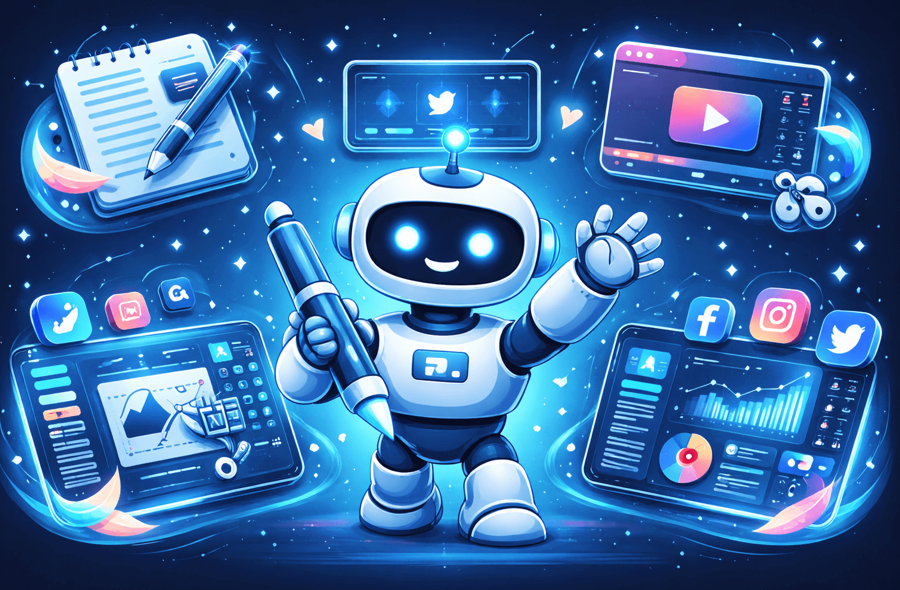
- Simplified: An AI-native platform combining design, writing, video, social scheduling, and — via Riley — agentic campaign execution. A trial is available, with Starter plans from $79/month. Best for: small businesses and creators who want comprehensive capabilities, and increasingly, a tool that can run a campaign rather than just assist with pieces of one.
The value proposition, done honestly: A typical separate-tools stack (Canva + Jasper + Hootsuite + a video tool) runs roughly $180-200/month. Simplified plans starts at $19/month is still meaningfully cheaper than stitching that stack together—real savings. Do your own math against your actual stack rather than trusting either number blindly. See current pricing to compare plans.
The value proposition: Simplified replaces Canva ($15) + Jasper ($49) + Hootsuite ($99) + video tool ($29) = $192/month with one $20/month subscription. That’s $2,064 saved annually. See current pricing to compare plans.
Bonus: AI Workflows vs AI Agents — A Quick Guide for No-Code Builders
AI marketing tools: All-in-one vs. best-of-breed vs. agent-led
The honest answer? It depends on who you are.
When specialized tools make sense
Choose separate, specialized AI marketing software if you have dedicated team members for each function, need professional-grade depth in one specific area, have the budget for multiple subscriptions, and don’t mind context-switching between platforms.
When all-in-one wins
Choose an integrated platform if you wear multiple hats, need “good enough” across many functions rather than “perfect” in one, want to reduce subscription costs significantly, and value workflow efficiency over feature depth.
When agent-led wins
Choose a platform with real agentic capability (like Riley) if your bottleneck isn’t the tools themselves but the time spent chaining them together — briefing, reviewing, and coordinating handoffs between writing, design, and scheduling. This is the newest option, and it’s worth genuinely evaluating rather than defaulting to whichever category you’re most familiar with.
Decision framework
Ask yourself: “Would I rather have perfect tools I rarely use, good tools I use every day, or a system that runs the whole thing while I just approve the output?” If you’re creating 20+ pieces of content weekly, workflow efficiency and agentic execution both start to matter more than raw feature depth.
How small businesses are using AI marketing tools
Real workflows worth understanding, not just abstract stats:
Blog content: A 1,500-word blog post that took 4-6 hours can now take 1-2 hours with AI drafting and human editing.
Social media: A week of social content (15-20 posts) that took 5+ hours can now take under 2 hours with AI-generated copy and templates — or, with an agent handling the full brief-to-scheduled pipeline, significantly less hands-on time still.
Video clips: Extracting 10 short clips from a long video that took 2+ hours can now take about 20 minutes with AI clips tools.
A note on productivity statistics: you’ll see numbers like “44% higher productivity” or “3.7x ROI” circulating across AI marketing content, often traced back to broader industry surveys rather than small-business-specific data. Treat these as directional rather than something to bank a business case on — the time savings above, based on task-level comparisons, are a more reliable way to estimate your own likely gains.
Real workflow example
Here’s how a small business might use an all-in-one AI marketing platform with agentic support:
- Monday: Brief the agent (or manually draft) five blog post outlines for the month
- Tuesday: Expand one outline into a full post; AI designs matching social graphics
- Wednesday: Schedule all social content for the week in bulk
- Thursday: Repurpose the blog post into video using a text-to-video feature
- Friday: Extract short clips from the video for Reels/TikTok, schedule across platforms
What used to take 20+ hours or an agency retainer can now take a single-digit number of hours for a full week of multi-format content — less still if an agent is handling coordination between steps.
Getting started with AI marketing tools
Start small
You don’t need to overhaul everything at once. Most small businesses that adopt AI tools successfully start with simple task automation before expanding.
Week 1: Pick one bottleneck. If writing takes too long, try an AI writer. If design is the blocker, try AI design tools.
Week 2: Evaluate the output. Does it save time? Does it meet your quality bar with editing?
Week 3: Expand or adjust. If it works, add another capability — or try handing a full brief to an agent-capable platform and see how much of the chain it can genuinely handle.
Recommended first steps
- Audit your current stack: List every marketing tool you pay for. Calculate the total monthly cost.
- Map your workflow: Document how content moves from idea to published. Identify the friction points.
- Start with free tiers or trials: Most AI marketing software offers free tiers or trials. Test before committing.
- Evaluate consolidation: Could one platform replace multiple tools? Calculate the potential savings using real, current pricing.
- Prioritize consistency: Choose tools that help maintain brand consistency across all content.
Common mistakes to avoid

- Buying tools you won’t use: That enterprise Hootsuite plan has features you’ll never touch.
- Ignoring the integration tax: Several cheap tools can cost more than one comprehensive platform once you factor in workflow friction.
- Skipping the learning curve: Budget time for your team to actually learn the tools.
- Expecting perfection: AI generates first drafts, even agentic ones. Humans add expertise, accuracy, and brand judgment.
- Trusting outdated pricing: AI tool pricing shifts often — verify current numbers directly before building a budget around a figure from an older article.
The bottom line on AI marketing tools
The AI marketing tools landscape in 2026 gives small businesses options that didn’t exist even a couple of years ago — including a genuinely new category, agentic execution, that changes what “consolidation” can mean.
But more tools doesn’t mean better marketing, and neither does the newest category by itself.
Key takeaways:
- Calculate your real costs: Add up every marketing subscription, and check current pricing directly rather than trusting a number from an older article — pricing across this space shifts often.
- Evaluate workflow, not features: The best tool is the one you’ll actually use.
- Consider whether agentic execution solves your actual bottleneck: If coordination between tools is your biggest time sink, this is the category worth testing first.
- Match tools to your reality: Enterprise tools for enterprise teams. All-in-one or agent-led platforms for small teams wearing multiple hats.
- Prioritize brand consistency: Whatever tools you choose, make sure they help maintain consistent brand identity across all content.
Frequently asked questions
What’s the difference between an AI marketing tool and an AI marketing agent?
A traditional AI marketing tool generates one piece of output at a time, in response to a specific prompt — you’re still the one chaining steps together. An AI marketing agent, such as Riley, takes a broader goal or brief and handles the planning and coordination across multiple steps (writing, design, scheduling) itself, typically queuing the result for your approval before anything goes live.
How much do AI marketing tools cost?
Individual AI marketing software tools range from roughly $10-100+/month. A typical small business stack of separate tools costs $150-250/month. All-in-one platforms vary in price — verify current numbers directly, since this is an area where older articles (including earlier versions of guides like this one) can circulate stale figures.
Can AI marketing tools replace my marketing team?
No, including the newer agentic tools. AI accelerates content creation and can now handle more of the coordination between steps, but it doesn’t replace strategy, creativity, or human judgment. Think of it as a multiplier for human capability, not a replacement.
Which AI marketing tools are best for social media?
For scheduling only, Buffer and Later offer affordable options. For content creation plus scheduling, all-in-one platforms combine AI writing, design, and scheduling. And for full campaign coordination from a single brief, an agent-capable platform is worth testing.
Are AI marketing tools worth it for small businesses?
Generally yes, based on the time-savings evidence at the task level (blog drafting, video clip extraction, social content turnaround). The key is choosing tools — and increasingly, agents — that match your actual workflow rather than paying for features you won’t use.
Try Simplified’s All-in-One AI Marketing Platform, With Riley Built In
Whatever category fits your business, the underlying goal is the same: less time stitching tools together, more time on the parts of marketing that actually need a human. Simplified combines design, writing, video, and scheduling in one workspace, with Riley available to take a full brief and run it end-to-end when you’re ready to hand it off.






![200+ Book Name Ideas for Your Next Masterpiece [2026]](https://siteimages.simplified.com/blog/Awesome-Book-Name-Ideas-01.png?auto=compress&fm=png "200+ Book Name Ideas for Your Next Masterpiece [2026]")