 By
By 
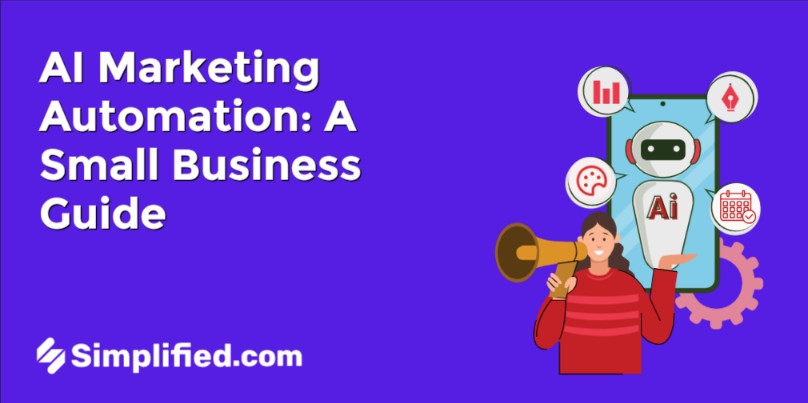
AI marketing automation uses artificial intelligence to run repetitive marketing work for you, from deciding when to send an email to creating and scheduling a week of social posts. It goes beyond classic marketing automation’s fixed rules: AI can adapt those rules on its own, and AI agents can plan and do the work, with you approving what goes out.
Most guides to AI marketing automation are written by email and CRM platforms, so they focus on lead scoring, segments, and send times. That’s useful if you have a marketing operations team. But if you’re a small business, your biggest time sink probably isn’t email. It’s making content and getting it posted every week.
This guide explains the three levels of AI in marketing automation, seven workflows you can automate this month, where small teams should start, and what you should never fully automate.
Key Takeaways
- AI marketing automation has three levels: fixed rules, AI-assisted rules that adapt, and AI agents that plan and do the work.
- For small businesses, content and social media are usually the best place to start. They eat the most hours and are the easiest to hand off with approvals.
- Seven workflows cover most needs: planning, social content, publishing, repurposing, email nurture, lead follow-up, and reporting.
- Keep a human on brand decisions, sensitive messages, and anything that goes live, at least at first.
- Start with one workflow, prove it works for 30 days, then add the next.
What is AI marketing automation?
AI marketing automation is the use of AI to carry out marketing tasks with little manual effort. It covers things like personalizing emails, choosing posting times, writing and designing content, and publishing it across channels. The goal is the same as classic automation (less repetitive work), but AI can handle tasks that need judgment, not just rules.
Marketing automation vs AI marketing automation
Classic marketing automation runs on rules you set up in advance: “When someone downloads the guide, send email A. Three days later, send email B.” It’s reliable, but it only does exactly what you told it.
AI in marketing automation changes two things:
- It adapts. AI can pick the best send time per person, adjust segments as behavior changes, or rewrite a subject line that’s underperforming.
- It creates and acts. AI can write the email, design the graphic, make the short video, and schedule the post, not just trigger a message you wrote months ago.
That second shift is where AI agents come in. An agent works toward a goal and decides its own steps, using your tools along the way. If you’re new to agents, our guide to AI marketing agents covers the basics.
The 3 levels of AI in marketing automation
It helps to think of AI marketing automation in three levels. Each one adds more capability, and needs a bit more oversight.
| Level 1: Rules | Level 2: AI-assisted rules | Level 3: AI agents | |
|---|---|---|---|
| How it works | If-this-then-that triggers you build | Rules that AI tunes automatically | AI plans the work and carries it out |
| Example | Welcome email after signup | Send time picked per subscriber | “Promote our sale this week” becomes posts, visuals, and a schedule |
| What you do | Build and maintain every rule | Set goals; review results | Set the goal; approve the output |
| Best for | Email sequences, simple triggers | Email, ads, segmentation | Content creation, social, campaigns |
| Main risk | Gets stale | Hard to see why it chose something | Off-brand output without approvals |
Most small businesses already use Level 1 somewhere, often a welcome email. The big jump in 2026 is Level 3, because agents can take on work that used to need a person: making the content itself.
7 marketing workflows to automate with AI
How do you automate marketing with AI? Start with these seven workflows. You don’t need all of them. Pick the one that costs you the most time each week.
1. Content planning
An AI agent can turn your goals, seasons, and product launches into a content calendar. Give it your themes (“tips, behind the scenes, customer stories”) and it proposes a month of topics you can approve or swap.
2. Social content creation
This is the biggest time saver for most small teams. An AI agent writes the captions, designs the graphics and carousels, and creates short videos in your brand’s colors, fonts, and voice. For a deeper look at this workflow, see our guide to the AI content agent.
3. Scheduling and publishing
Once content is approved, automation posts it at the right times across your channels. AI can also suggest when your audience is most active, so you’re not guessing.
4. Repurposing
One idea, many formats. AI turns a blog post or webinar into carousels, short clips, LinkedIn posts, and captions. This is where AI marketing automation multiplies the value of work you’ve already done.
5. Email nurture
This is the classic home of marketing automation. AI-assisted email tools can personalize content, pick send times, and adjust sequences based on what each subscriber opens and clicks. Use your email platform for this; our roundup of marketing automation tools compares the main options.
6. Lead capture and follow-up
A chatbot can answer questions and capture leads around the clock, then hand them to an automated follow-up. Not sure whether you need a chatbot or an agent for this? Our breakdown of AI agent vs chatbot explains the difference.
7. Reporting
AI can pull results from your channels into a weekly summary: what worked, what didn’t, and what to try next. The best setups feed those results back into planning, so each week’s content gets a little smarter.
Want to automate the content-and-social media half? Simplified’s marketing agent, Riley, plans campaigns, creates the posts and videos in your brand style, and publishes to your social channels after you approve. Start with Simplified’s marketing agent, Riley →
Where small businesses should start
If you’re a small team, start with content and social (workflows 1-4), not email. Here’s why:
- That’s where the hours go. Making a week of social content by hand can take a full day. Most email sequences run for months once they’re set up.
- It’s easy to keep control. With an approval step, nothing goes live until you’ve seen it.
- You see results fast. Consistent posting is visible within weeks, not quarters.
Picture Rosa, who owns a neighborhood bakery with two locations. She had a welcome email running for years, but her Instagram posted maybe twice a month.
She set up an AI agent to plan and create three posts a week around her weekly specials, using photos her staff already took. Every Monday she spends about 20 minutes approving the queue.
Two months later she posts consistently, and her weekend specials sell out more often. She didn’t touch her email automation at all. She automated the work that was actually stuck.
Once that’s running, connect the pieces. Simplified’s AI workflow automation lets you chain steps together visually, for example sending new leads from a form into your CRM and alerting your team in Slack, with human approval steps where they matter.
Guardrails: what not to fully automate
AI marketing automation works best with clear limits. Gartner even predicts that over 40% of agentic AI projects will be canceled by the end of 2027, citing unclear value and rising costs. Small, well-scoped automations with a human checkpoint are how you avoid that.
Keep a human on:
- Anything that goes live, at first. Start with approval on for everything. Turn on auto-publish only for content types you trust, like a weekly tips post.
- Brand and positioning decisions. AI can format your message; it shouldn’t decide what your brand stands for.
- Sensitive messages. Pricing changes, apologies, complaints, and anything legal or medical deserve a careful human edit.
- Customer conversations that go off-script. Make sure chatbots hand off to a person when they’re stuck.
- New channels. Run a channel manually for a few weeks before automating it, so you know what good looks like.
A simple rule: automate the work, not the judgment.
How to choose AI marketing automation tools
There are hundreds of tools with “AI” on the label. Ask these questions before you commit:
- Which level is it? Does it just run rules, tune them, or actually plan and create the work?
- Does it know your brand? Look for stored brand assets and voice, not settings you re-enter every time.
- Does it create finished work? If it only writes text, you’re still the designer and the scheduler.
- Where are the approval gates? You should be able to review before anything goes live.
- Does it connect to what you already use? Your email platform, CRM, and social accounts should plug in, not be replaced.
- What’s the real monthly cost? Count seats, channels, and credits, not just the starting price.
For most small businesses, the right stack is simple: your existing email tool for nurture (Level 1-2), plus one AI agent for content and social (Level 3).
FAQ
What is AI marketing automation?
AI marketing automation uses AI to run repetitive marketing work: personalizing emails, choosing send and post times, creating content, and publishing it. Unlike classic automation, it can adapt and create, not just follow fixed rules.
How do I automate my marketing with AI?
Pick the task that costs you the most time each week, usually social content. Set up an AI tool or agent with your brand assets, keep approval on, and run it for 30 days. Once it works, automate the next task.
What are the best AI automation tools for marketing?
It depends on the job. Email and CRM platforms handle nurture sequences and lead scoring. AI agents like Simplified’s marketing agent, Riley, handle content creation and social publishing. Most small businesses need one of each, connected.
Is AI marketing automation expensive?
It doesn’t have to be. Many email platforms include AI features in standard plans, and AI content agents typically cost far less than a part-time hire. Compare the monthly cost to the hours you’ll get back.
What’s the difference between AI marketing automation and AI agents?
AI agents are one part of AI marketing automation. Classic and AI-assisted automation follow rules, even if AI tunes them. AI agents go further: you give them a goal, and they plan the steps, create the content, and act across your tools. Think of agents as the most capable level of AI marketing automation, best used with approval checkpoints.
Will AI marketing automation replace marketers?
No. It replaces repetitive tasks, not judgment. Marketers who use AI marketing automation spend less time making and scheduling, and more time on strategy, customers, and creative ideas.
The bottom line on AI marketing automation
AI marketing automation in 2026 isn’t one tool. It’s three levels: rules, AI-assisted rules, and agents that do the work. For small businesses, the smartest move is to automate the job that’s most stuck, which is usually content and social.
- Start with one workflow and run it for 30 days
- Keep approvals on until you trust the output
- Use the right tool for each level: your email platform for nurture, an AI agent for content
- Automate the work, not the judgment
Your customers don’t care how your posts get made. They care that you show up. AI marketing automation makes showing up the easy part.