By
By Here’s a fun little experiment: track every minute of your workday for a week and see how many of them you’d actually defend in court as “work.” Not the meeting that could’ve been an email. Not the seventeen minutes spent looking for a file someone named “final_FINAL_v2_actual.” Real, defensible, billable work.
Most small business owners have never done this, mostly because the results are humbling. The gap between the work you meant to do and the hours that mysteriously evaporated is exactly what a good tool stack is supposed to close — assuming you don’t accidentally build a Frankenstein’s monster of six overlapping apps that all promise to “streamline your workflow.”
We tested a wide range of productivity tools across content creation, task management, time tracking, scheduling, and automation to find what’s actually worth your money in 2026 — and what’s just a nicer-looking to-do list charging you $15 a month for the privilege. One tool genuinely surprised us by doing the job of three separate apps, and we’re leading with it.
You don’t need all 13 of these. Grab two or three that fix your actual bottleneck, give them a real trial, and resist the urge to download a new app every time you’re procrastinating on the work the last app was supposed to help with.
Here’s the lineup at a glance:
| Tool | Best For | Cost |
| Simplified | AI-agent-driven content creation, scheduling & campaign automation | Paid tiers available |
| Asana | Complex projects with dependencies | Paid from $10.99/user/mo |
| Trello | Simple Kanban boards | Paid from $5/user/mo |
| monday.com | Visual, customizable workflows | Paid from $9/user/mo |
| Todoist | Fast personal task capture | Paid from $4/user/mo |
| Notion | Docs, wikis & flexible databases | Paid from $10/user/mo |
| Toggl Track | Manual time tracking & billing | Paid from $10/user/mo |
| RescueTime | Passive time awareness | Paid from $12/mo |
| Calendly | Scheduling without the back-and-forth | Paid from $10/user/mo |
| Slack | Team communication | Paid from $8.75/user/mo |
| Zapier | No-code automation between apps | Paid from $19.99/mo |
| Papersign | Document signing & contracts | Pro from $20/user/mo |
| Filestage | File review & approval workflows | Paid from €199/mo |
Simplified
Best for AI-agent-driven content creation, scheduling & campaign automation
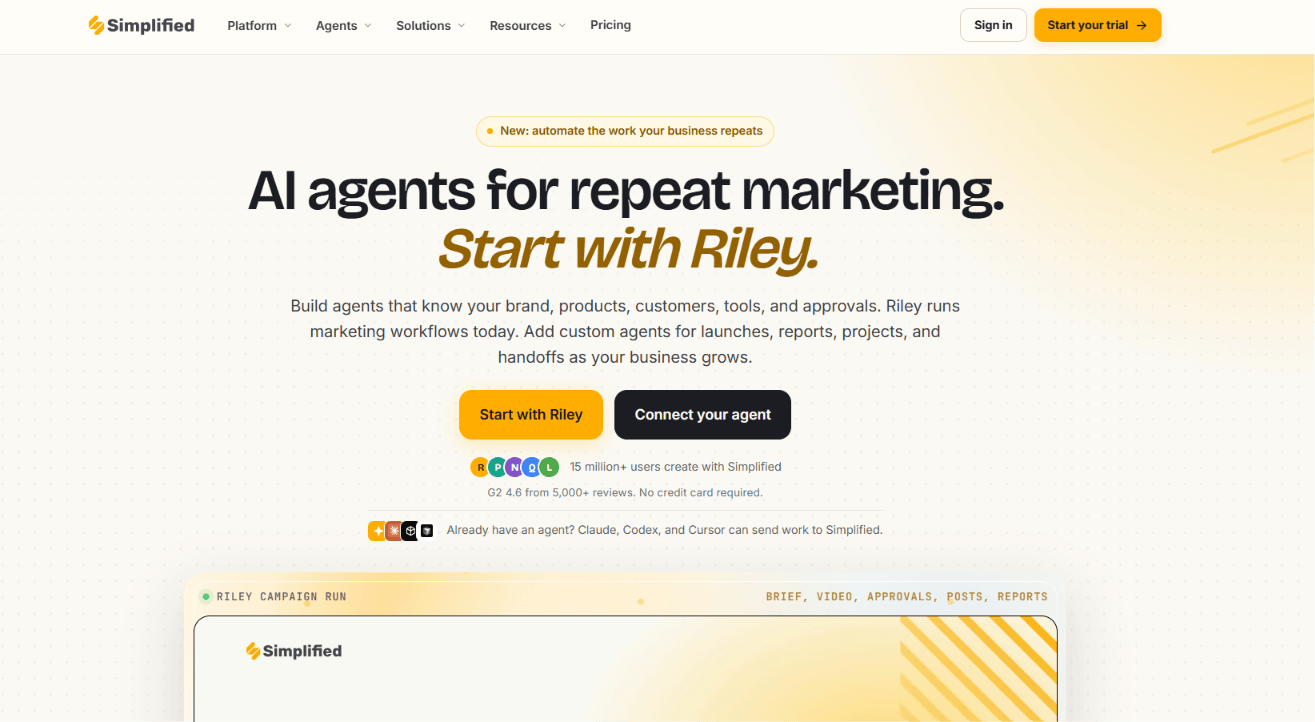
This is the one that caught us off guard. Most “content tools” do one job well and quietly hope you don’t notice they can’t do the other two. Simplified has leaned further into this lately too — it now runs on an AI agent called Riley that can take a single brief and carry a campaign from plan to published post, with approvals built in rather than left for you to chase down. Even without touching the agent side, the core toolkit still bundles design, writing, video, and scheduling into one place — so instead of designing in tab one, writing in tab two, and scheduling in tab three (while your coffee goes cold in between), the whole idea-to-published pipeline happens without you ever leaving the tab.
To be fair, it won’t organize your projects or track your billable hours — nobody’s pretending it’s a Swiss Army knife. Pair it with something like Asana or Toggl Track for that side of the business, and let this one own the content grind.
Standout features:
- Riley, an AI marketing agent that can plan, create, and publish a campaign end-to-end from a single brief, with your approval built into the process rather than bolted on after
- AI Writer that drafts captions, ad copy, and blog content in 30+ languages, so writer’s block stops being an excuse
- Thousands of design templates for social posts, ads, and presentations, editable without touching a single design principle
- AI Image Generator and Photo Editor for creating or touching up visuals from a prompt, no stock photo hunting required
- Built-in social scheduler that publishes across platforms without a separate calendar tool
- AI video generator and editor, short-clip tool, and subtitle generator for turning raw footage into scroll-stopping short-form content
- Brand Kit / Brand Memory that stores your colors, fonts, voice, and past approved posts so every new draft actually sounds and looks like you
- Social Inbox that gathers comments and DMs from every platform into one place, so nothing gets left on read
- Client/team approval workflows, useful if you’re managing content for more than just yourself
- MCP server and API access, letting tools like Claude, Codex, or Cursor trigger Simplified workflows directly — handy if your “content team” is partly automated already
Cost: Paid tiers unlock additional AI credits and team features. If you want detailed pricing information, Visit Simplified pricing page.
Bonus: Top n8n Alternatives for AI Workflow Automation in 2026 (Free and Paid)
Asana
Best for complex projects with dependencies
Asana is the reliable one at the party — not flashy, but it shows up and does exactly what it says. It handles genuinely complex projects (this task can’t start until that one’s done) across list, board, calendar, and timeline views, which matters the moment your business graduates from “sticky notes on a monitor” to “actual dependencies.”
The free plan tops out at 15 users, so if your team of freelancers has a revolving door, you’ll hit that ceiling faster than expected. Also budget a little ramp-up time — Asana rewards structure, and structure takes a minute to build.
Standout features:
- Task dependencies that block a step from starting until the one before it actually finishes — no more chasing people who jumped the gun
- Multiple views (list, board, timeline, calendar) so every team member gets to see the same project in the format their brain prefers
- Workflow automation (Rules) that reassigns, notifies, or moves tasks without anyone lifting a finger
- Portfolios for tracking several projects at once, useful the moment you’re juggling more than you can hold in your head
Cost: Free for up to 15 users; paid plans from $10.99/user/month.
Trello
Best for simple Kanban boards
Trello is what happens when someone designs software for humans instead of consultants. Cards, boards, columns — drag something from “To Do” to “Done” and feel a small, disproportionate sense of accomplishment. Zero onboarding required, which is rare enough to be worth celebrating.
The catch: once your workflows outgrow “move the card,” Trello starts to show its limits. No native time tracking, no budgeting, and real automation means paying for Power-Ups.
Standout features:
- Butler automation built right into the free plan — set rules like “move to Done when checklist is complete” without writing code
- Card-level checklists, due dates, and attachments that keep every task’s context in one place instead of six
- Power-Ups that bolt on calendars, voting, and custom fields when a plain board isn’t quite enough anymore
- Templates for everything from editorial calendars to sales pipelines, so you’re not starting from a blank board
Cost: Free for up to 10 boards per workspace; paid plans from $5/user/month.
Bonus: Top 8 Software Options for Compelling Roblox Thumbnails (Free & Paid)
monday.com
Best for visual, customizable workflows
monday.com is the tool that says “sure, we can build that” to almost any workflow you throw at it — sales pipelines, content calendars, onboarding checklists, whatever. It’s the reason it shows up on nearly every “best tools” list in 2026: genuine flexibility without needing a developer.
That same flexibility is also the trap — give yourself real time to set it up properly, because a half-configured monday board is arguably worse than no board at all. Pricing also climbs quickly once your headcount does.
Standout features:
- Fully custom columns and boards that adapt to sales, HR, content, or whatever niche workflow your business runs on
- Automations that trigger notifications, status changes, or assignments without manual busywork
- Dashboards that roll up multiple boards into one bird’s-eye view for owners who like seeing the whole picture at once
- Color-coded everything, which sounds trivial until you realize how much faster your brain scans a rainbow board than a wall of text
Cost: Free for up to 2 users; paid plans from $9/user/month.
Todoist
Best for fast personal task capture
Todoist exists for the exact moment a task pops into your head mid-meeting and you need it out of your brain before you lose it. Type “submit report Friday 3pm #marketing” and it parses the date, project, and priority on its own — genuinely satisfying the first dozen times you use it.
It’s brilliant for personal task lists and small teams. Ask it to manage a client project with a budget and six stakeholders, though, and it’ll politely shrug.
Standout features:
- Natural-language quick add that turns a typed sentence into a fully structured, dated, prioritized task
- Recurring due dates for the stuff that never actually ends, like “pay rent” or “restock inventory”
- Karma points and streaks — a gamified nudge that makes checking things off oddly satisfying
- Cross-device sync that’s genuinely instant, so a task added on your phone in the shower thought is on your laptop before you’ve toweled off
Cost: Free for basic use; paid plans from $4/user/month.
Notion
Best for docs, wikis & flexible databases
Notion is the “second brain” everyone swears by and nobody fully finishes setting up. It genuinely can replace your wiki, your notes app, and a chunk of your project tracker — the flexibility is real, and so is the temptation to spend an entire Sunday building the “perfect” workspace instead of doing actual work.
It’s fantastic for documentation and knowledge bases. As a day-to-day task manager, it’s fine, not great — most teams pair it with Asana or Trello and let Notion just hold the institutional knowledge.
Standout features:
- Linked databases that let one piece of information (a client, a project, a task) show up everywhere it’s relevant, automatically
- Templates for literally everything — wikis, roadmaps, CRMs, meeting notes — so you’re customizing, not building from scratch
- AI-assisted writing and summarizing baked directly into the page editor
- Granular sharing permissions, so the intern doesn’t accidentally stumble onto the salary spreadsheet
Cost: Free for individuals; paid plans from $10/user/month.
Bonus: 10 Best No-Code AI Workflow Generator/Builders
Toggl Track
Best for manual time tracking & billing
If you bill by the hour, Toggl Track is the tool that turns “I think I worked on that for a while” into an actual invoice line item. The browser extension is the real hero here — a start button that lives inside Google Docs, Notion, or your inbox, so logging time doesn’t require opening yet another app.
Reports export cleanly for invoicing, which freelancers and small agencies will appreciate every time a client asks “what exactly did I pay for.”
Standout features:
- One-click browser extension that adds a timer button inside the apps you already use, so tracking time doesn’t interrupt the work itself
- Idle time detection that nudges you when the timer’s been running while you’ve clearly wandered off to make coffee
- Detailed, exportable reports broken down by client, project, or team member, ready to drop straight into an invoice
- Project budgeting and alerts that flag when a project is quietly eating more hours than it’s billing for
Cost: Free for basic tracking; paid plans from $10/user/month.
RescueTime
Best for passive time awareness
RescueTime is the slightly uncomfortable mirror Toggl doesn’t hold up. No manual timers — it just quietly tracks what you’re actually doing all day and hands you a report you didn’t necessarily want to see. Turns out that “quick email check” eats 90 minutes some days. Who knew.
It’s built for personal awareness, not client billing, so don’t expect the polished invoice-ready reports Toggl gives you.
Standout features:
- Fully automatic tracking — no start/stop button to forget, it just quietly logs everything in the background
- Productivity scoring that categorizes apps and sites as productive, distracting, or neutral, based on rules you can actually customize
- Focus sessions that block distracting sites for a set stretch of time when you need to just get something done
- Weekly email reports that arrive whether or not you’re emotionally ready for them
Cost: Free basic version; paid plans from $12/month.
Calendly
Best for scheduling without the back-and-forth
Somewhere out there, a small business owner has sent the email “does Tuesday at 2 work for you?” roughly four hundred times this year. Calendly ends that particular purgatory — people book directly into your open slots, time zones convert themselves, and reminder emails go out without your involvement.
It’s one of the lowest-effort, fastest-payoff tools on this list. Most teams recoup the five minutes of setup within the first week.
Standout features:
- Automatic time zone conversion, so nobody ends up on a call at 3am because of a math error
- Buffer times and daily limits that stop your calendar from becoming back-to-back meetings with zero breathing room
- Automated reminders and follow-ups that cut down on no-shows without you sending a single manual nudge
- Calendar integrations across Google, Outlook, and iCloud, so it always checks your real availability, not a guess
Cost: Free for one event type; paid plans from $10/user/month.
Slack
Best for team communication
Slack organizes chaos into channels instead of one long, doom-scrollable inbox, and its integrations mean your other tools can just… talk to it. A signed contract, a finished task, a new lead — all show up where the team already is.
Fair warning: Slack itself isn’t the productivity risk, the culture around it is. Without some ground rules on what’s urgent and what can wait until tomorrow, it becomes just as capable of destroying focus as it is of enabling it.
Standout features:
- Channels that organize conversations by topic or project instead of one endless scroll of everything at once
- Huddles for quick voice chats that don’t require scheduling an actual meeting
- Deep integrations with tools like Asana, Zapier, and Google Drive, so updates land where the team’s already looking
- Searchable history, so “didn’t we already discuss this?” actually has a findable answer
Cost: Free for basic use; paid plans from $8.75/user/month.
Zapier
Best for no-code automation between apps
Zapier is the unglamorous MVP nobody brags about at dinner parties. It connects your other tools so a form submission creates a task, a signed contract pings Slack, a new client gets added to your invoicing tool — all without a single line of code or a single “wait, did I already do that?” moment.
The tradeoff is setup time and a bit of trial and error before it clicks. Costs can also climb if you’re running a high volume of automations. But once it’s dialed in, it quietly saves more hours than almost anything else on this list — you just won’t notice, because that’s the whole point.
Standout features:
- “Zaps” — automated workflows connecting two or more apps, triggered by an event in one and an action in another
- Multi-step workflows that chain several actions together from a single trigger, no coding required
- Thousands of app integrations, covering pretty much anything your business already uses
- Built-in filters and conditional logic, so automations only fire when the situation actually calls for it
Cost: Free for basic automations; paid plans from $19.99/month.
Papersign
Best for document signing & contracts
Papersign turns “please sign and return” from a multi-day email saga into something that gets done before the other person closes the tab. Upload a PDF or build a document from scratch, add your branding, and it’s compliant with e-signature laws across the US, EU, UK, Australia, and New Zealand — useful if your clients aren’t all in one country.
Standout features:
- Legally binding e-signatures compliant across multiple major regions, so contracts hold up wherever your clients are
- Custom branding on documents, keeping things looking like your business instead of a generic form
- Audit trail tracking who viewed, opened, and signed — and exactly when
- Reusable templates for contracts you send often, so you’re not rebuilding the same NDA from scratch every time
Cost: Free plan (limited to 3 signed documents/month); Pro plan at $20–24/user/month.
Filestage
Best for file review & approval workflows
If your current approval process is “reply-all with ‘looks good, just move the logo slightly'” scattered across nine email threads, Filestage exists specifically to make you stop doing that. Comments, version tracking, and sign-off all live in one place — genuinely useful for agencies juggling multiple stakeholders on the same asset.
Standout features:
- Frame-accurate video and image commenting, so feedback points to an exact spot instead of “the part near the middle”
- Version comparison that shows exactly what changed between draft 3 and draft 4
- Formal approval workflows with clear sign-off stages, so nothing ships without the right person actually saying yes
- Review reminders that chase down slow-responding stakeholders automatically, so you don’t have to
Cost: Free trial available; paid plans start around €199/month for a Starter team plan.
Building Your Productivity Stack
A few things worth keeping in mind before you download five of these in one afternoon:
- Start free, then upgrade deliberately. Most of these tools have a genuinely usable free tier. You almost certainly don’t need to pay for anything on day one.
- Give each tool a real trial before committing. Two or three weeks tells you if it fits how your team actually works — a first impression mostly tells you how good the onboarding tutorial was.
- Don’t stack tools that do the same job. Overlap isn’t redundancy, it’s a tax. Pick one and commit.
- Match the tool to the actual bottleneck. A scheduling link won’t fix a documentation problem, and a time tracker won’t fix a communication one. Diagnose before you subscribe.
- Automate before you hire for the boring stuff. If a task is repetitive enough to write step-by-step instructions for, it’s repetitive enough for Zapier to just do instead.
FAQ
What are productivity tools?
Apps or software that help individuals and teams get more done with less friction — covering task management, time tracking, scheduling, communication, document workflows, automation, and content creation. The good ones reduce mental overhead. The bad ones just add another dashboard to your morning routine.
What productivity tools does a small business actually need to start?
Realistically, three: a task manager (Asana or Trello), a communication tool (Slack), and a scheduling link (Calendly). Everything else on this list solves a more specific problem — add it once that problem is actually costing you real time, not before.
Can an AI agent like Riley actually replace a project manager?
Not entirely — Riley plans and executes marketing campaigns specifically, not general business projects with budgets, hiring, or cross-department dependencies. Think of it as removing the “assistant” layer of a marketing project (drafting, formatting, publishing, chasing approvals), not the “leadership” layer. You’re still the one deciding what to run and signing off before it ships.
Do these productivity tools actually work together, or am I locking myself into one ecosystem?
Most of them play nicely with each other rather than competing for the same job. Zapier exists specifically to connect tools that don’t talk natively, Slack integrates with almost everything on this list, and Simplified’s MCP/API access means it can be triggered by outside agents too. The real ecosystem risk isn’t lock-in — it’s picking two tools that do the same job and never fully committing to either.
What’s the actual difference between Toggl Track and RescueTime?
Toggl Track requires you to hit start and stop, which makes it better for billing clients by the hour. RescueTime runs quietly in the background with zero input from you, which makes it better for personal self-awareness — and occasionally, mild personal horror.
Gear Up For Success With Simplified
Once your project management, communication, and scheduling stack is sorted, content is usually the next bottleneck — and the one most small teams solve by duct-taping three apps together.
Simplified is the platform. Riley is the agent that runs it for you. Give Riley one brief — the goal, the audience, the channels — and it plans the campaign, creates the assets using Simplified’s design, writing, and video tools, applies your brand automatically, and queues everything for your approval before it publishes and reports back. You’re still the one saying yes or no; you’re just no longer the one stitching four tools together to get there.