By
By Spending 30+ minutes per LinkedIn post? These AI tools cut that to 5 minutes.
LinkedIn has become the premier platform for professional visibility, thought leadership, and B2B lead generation. But staying consistent is brutally hard. Between client work, meetings, and everything else on your plate, crafting an engaging post every day—or even every week—can feel impossible.
The solution? AI-powered LinkedIn post generators that do the heavy lifting for you. These tools don’t just spit out generic filler; the best ones learn your voice, leverage proven viral frameworks, and even schedule your content automatically.
But with dozens of options on the market, which tool is actually worth your time and money?
In this guide, we compare 7 top LinkedIn post generators side by side, covering:
- Full feature breakdowns and honest performance scores
- Real pricing (no hidden fees)
- Who each tool is actually best for
- A decision framework to help you choose without wasting money
Why Use a LinkedIn Post Generator?
Before diving into the tools, it’s worth understanding why AI-assisted content creation has become the norm rather than the exception for LinkedIn power users.
1. Time Savings
Top LinkedIn creators report spending 5+ hours per week on content planning, drafting, and editing. AI generators cut this dramatically—most users reduce their content time by 60–70% after integrating the right tool.
2. Consistency
The LinkedIn algorithm rewards accounts that post regularly. Missing a week can cause your engagement to drop significantly. AI tools eliminate the “I don’t have time” excuse by letting you batch-create a week’s worth of content in a single session.
3. Beating Writer’s Block
Even experienced writers hit walls. AI generators give you a starting point—a structure, a hook, an angle—that you can shape into something genuine. It’s much easier to edit than to create from scratch.
4. Data-Backed Results
86% of marketers now use AI for content creation, according to recent industry surveys. Those who don’t are increasingly at a disadvantage in both volume and consistency.
5. The Authenticity Challenge
Here’s the honest truth: most AI-generated LinkedIn posts sound robotic out of the box. The tools that separate themselves from the pack are those that offer real voice training, proven writing frameworks, and content that requires minimal editing to feel human. That’s the core evaluation criterion in this guide.
Top 7 LinkedIn Post Generator Tools (2026)
1. Simplified — Best All-in-One: Writing + Design + Scheduling
Pricing: $20/month all-in-one | Free tier: 5,000 words/month
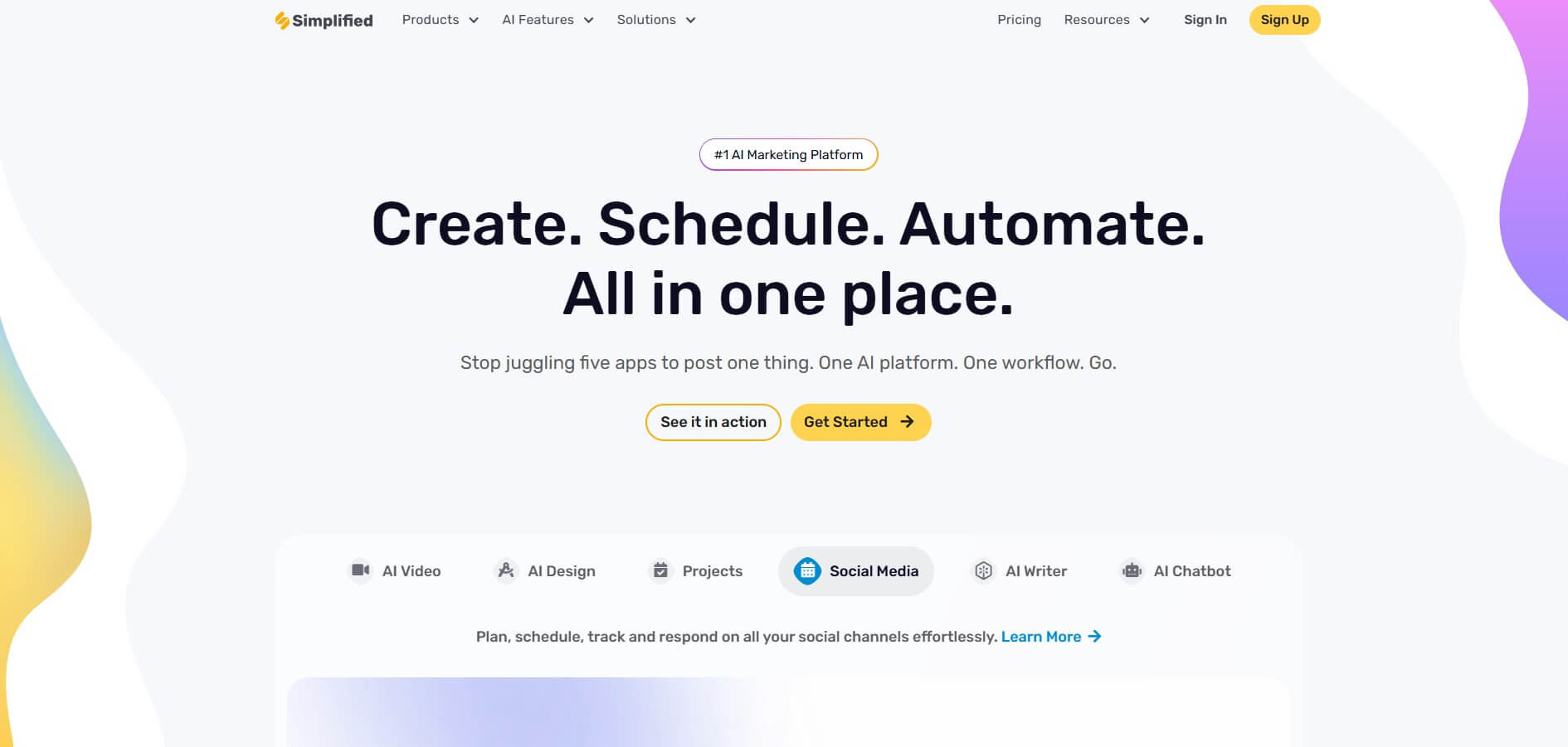
If you’re tired of juggling four different subscriptions for writing, design, scheduling, and analytics—Simplified was built for you. It’s the only tool on this list that combines all four into a single, affordable platform.
Key Features
- AI Writer with 50+ templates, including LinkedIn-specific post formats
- Brand voice training to match your tone over time
- Built-in graphic design tools, such as AI image generator and many more, for LinkedIn carousels, banners, and images
- Scheduling for LinkedIn and 7 other platforms (Instagram, Twitter/X, Facebook, and more)
- Direct publishing to WordPress and Shopify
Why Simplified Wins for Most Users
The math is simple. Jasper alone starts at $39/month. Add a design tool like Canva ($13/month), a scheduler like Buffer ($18/month), and you’re already at $70+. Simplified delivers all of that for $20—and it’s purpose-built for social media creators.
The 50+ templates aren’t generic either. There are LinkedIn-specific formats for thought leadership posts, job announcements, industry commentary, carousels, and more. Combined with brand voice training, the output quality improves significantly after feeding the tool 10–20 of your existing posts.
Multi-Platform Advantage
Unlike LinkedIn-only tools, Simplified lets you repurpose and schedule content across every major social platform from one dashboard. This is a major differentiator for small businesses and solo creators managing their full social media presence.
Limitations
- Not as LinkedIn-specialized as Taplio (no viral post database)
- Voice training requires upfront time investment
- Design tools, while solid, aren’t as advanced as Canva or Adobe Express
Best for: Small businesses and solo creators who want to manage their entire marketing stack without subscription sprawl.
2. Jasper — Best for Enterprise Brand Voice
Pricing: Starting at $39/month | Enterprise pricing available
Jasper is the heavyweight champion of brand voice. If you’re managing LinkedIn content for a large organization—or a marketing agency handling multiple clients—Jasper’s brand voice training is in a class of its own.
Enterprise Features
- Advanced brand voice training (requires 20+ writing samples for best results)
- Collaborative workspace for teams and multiple users
- Fill 5 fields (problem, solution, info, audience, CTA) for structured output
- “Perfect Headline” feature for high-click titles
Voice Training Deep Dive
This is where Jasper separates itself. When properly trained with 20+ writing samples, Jasper achieves an authenticity score of 8/10—the highest on this list. The difference is stark: without training, the output scores just 5/10 and sounds like every other AI tool. With training, it genuinely sounds like you.
The trade-off is time. Setting up brand voice properly takes 1–2 hours. For enterprise teams managing multiple brand voices across clients, that investment pays off quickly. For a solo creator posting twice a week, it’s likely overkill.
When Is Jasper Worth the Premium?
- You’re managing content for 3+ brands or clients simultaneously
- Your team has multiple writers who need to stay on-brand
- Brand consistency is a business-critical requirement (agencies, large companies)
- You’re already spending more than $39/month cobbling together other tools
Limitations
- No built-in scheduling (requires integration with a separate tool)
- Expensive for solo creators or small teams
- Requires significant upfront time to train effectively
Best for: Marketing agencies and enterprise teams where brand voice consistency is non-negotiable.
3. Taplio / ContentIn — Best for Viral Hooks
Pricing: Starter $19/month | Standard $65/month | Pro $199/month
If LinkedIn growth is your primary goal—not just content creation—Taplio is the most purpose-built option on this list. It’s the only tool with direct access to a 1M+ database of high-performing LinkedIn posts, and it uses that data to generate hooks tailored to your niche.
The Viral Post Database
This is Taplio’s signature feature. Rather than generating hooks from scratch, Taplio analyzes what has actually gone viral in your industry and builds your content framework around proven patterns. For creators who prioritize reach and engagement over everything else, this is a major advantage.
LinkedIn-Specific Features
- AI post generation using proven engagement frameworks
- Built-in scheduling calendar with optimal posting time recommendations
- Engagement tracking and performance analytics
- Lead generation and CRM features (Pro tier)
- Hook library filtered by niche and topic
Pricing Tiers Explained
The $19/month Starter plan covers basic post generation and scheduling. The Standard plan at $65/month unlocks unlimited posts, the viral library, and analytics—this is the tier most active creators need. Pro at $199/month adds CRM and lead tracking, making it a full LinkedIn growth suite for sales-focused users.
Limitations
- LinkedIn-only (no multi-platform support)
- Higher tiers are expensive relative to all-in-one tools
- No built-in design tools for carousels or images
Best for: LinkedIn-first creators and personal brands whose primary goal is audience growth and viral reach.
4. Supergrow — Best for Tone Matching
Pricing: Starting at $19/month | 7-day free trial
Supergrow occupies an interesting niche: it’s one of the most affordable tools on the list, but it focuses heavily on one thing—learning your tone automatically. If you already have a library of content (YouTube videos, blog posts, PDFs), Supergrow can repurpose it into LinkedIn posts that actually sound like you.
Content Repurposing
This is Supergrow’s standout feature. Rather than starting from scratch, you feed it your existing long-form content and it extracts LinkedIn-ready posts. This is ideal for creators who are active on other platforms and want to build a LinkedIn presence without doubling their workload.
Voice Learning
Unlike Jasper (which requires manual samples), Supergrow learns your tone automatically over time based on what you publish and edit. The more you use it, the better it gets—without requiring a structured setup process.
Limitations
- LinkedIn-only focus (not suitable for multi-platform management)
- Newer tool with less proven track record than Jasper or Taplio
- Content repurposing quality varies depending on source material
Best for: LinkedIn-first creators who have existing content on other platforms and want to repurpose efficiently.
5. Copy.ai — Best for Quick Drafts
Pricing: Starting at $36/month | Free tier available
Copy.ai is the speed option. If you need a first draft in under 60 seconds and you’re comfortable editing heavily, Copy.ai delivers. It’s built around tried-and-true copywriting frameworks that produce structurally sound content quickly.
Writing Frameworks
Copy.ai uses established frameworks (AIDA, PAS, problem-solution) to structure LinkedIn posts automatically. This is particularly useful for marketers who understand copywriting principles and can recognize a solid structure even if the voice needs refinement.
Speed vs. Quality Trade-Off
The honest assessment: Copy.ai scores 6.5/10 on authenticity and engagement runs about 15% below baseline. You’ll need to edit. The tool is best treated as an ideation engine and first-draft machine, not a finished product generator.
Limitations
- Requires significant editing to match personal voice
- No built-in scheduling features
- Generic output without extensive customization
- More expensive than Simplified or Supergrow for what it offers
Best for: Marketers who need quick content ideation and are comfortable with heavy editing.
6. ChatGPT — Best Free Option
Pricing: Free (GPT-3.5) | $20/month (ChatGPT Plus with GPT-4)
ChatGPT isn’t a LinkedIn-specific tool, but it’s the best free option available if you’re willing to invest time in prompt engineering. With the right prompts and a solid custom instructions setup, GPT-4 can produce LinkedIn content that’s competitive with mid-tier paid tools.
What You Can Do
- Create detailed custom instructions that encode your voice, tone, and content style
- Build a personal prompt library for different post types (stories, opinions, tips, announcements)
- Iterate rapidly across multiple angles on a single topic
Limitations vs. Paid Tools
- No LinkedIn-specific templates or frameworks built in
- No scheduling, analytics, or calendar features
- Output quality is highly dependent on prompt quality
- No viral hook database or niche-specific optimization
- Inconsistent voice without persistent memory (free tier)
The bottom line: ChatGPT is a powerful raw tool that rewards skilled users. If you’re comfortable with prompting, $0–$20/month is hard to beat. If you want guardrails and structure, invest in a purpose-built tool.
Best for: Budget-conscious users willing to invest time in prompt engineering and manual workflow.
7. MagicPost — Honorable Mention
Pricing: $65/month
MagicPost rounds out the list as a solid but less differentiated option. At $65/month, it offers unlimited posts, content repurposing, ideation tools, and post analytics. The core functionality is comparable to Taplio’s Standard tier, but without the viral hook database or the depth of analytics.
What It Does Well
- Unlimited post generation without credit limits
- Content repurposing from existing material
- Basic ideation and topic suggestion features
Where It Falls Short
At $65/month, MagicPost sits in an awkward price point. Taplio Standard offers more (including the viral library) for the same price. Simplified offers more breadth for $45 less. MagicPost is worth considering if you specifically need unlimited generation without the complexity of more feature-rich platforms.
Best for: Users who need unlimited post volume and prefer a simpler, less feature-heavy interface.
Feature Comparison Table
Use this table to compare all seven tools at a glance across the features that matter most to LinkedIn content creators.
| Tool | Price / Month | AI Writing | Brand Voice | Scheduling | Multi-Platform | Design Tools | Analytics | Content Repurposing | Free Tier / Trial | Best For |
|---|---|---|---|---|---|---|---|---|---|---|
| Simplified | $20 | Yes | Yes | Yes | 8 platforms | Yes | Yes | Yes | Free tier | All-in-one content + social media |
| Jasper | $39+ | Advanced | Deep training | No | No | No | Basic | Limited | 7-day trial | Enterprise brand voice content |
| Taplio | $19–$199 | Yes | Basic | Yes | LinkedIn only | No | Yes | No | Free trial | LinkedIn growth + viral hooks |
| Supergrow | $19+ | Yes | Good tone matching | Yes | LinkedIn focused | No | Yes | Yes | 7-day trial | LinkedIn automation |
| Copy.ai | $36+ | Yes | Basic | No | No | No | No | No | Free trial | Quick marketing copy |
| ChatGPT | Free – $20 | Yes | Manual setup | No | No | No | No | Manual | Free | General AI writing |
| MagicPost | $65 | Yes | Limited | No | No | No | Limited | No | No | Unlimited LinkedIn posts |
Note: Authenticity scores reflect output quality with default or minimal customization. Tools with voice training (Jasper, Simplified, Supergrow) improve significantly after setup. Scheduling column reflects native built-in scheduling, not third-party integrations.
Use Case Recommendations
Choose Jasper if:
- You’re an enterprise marketing team
- You manage multiple brand voices
- You have time to train the AI properly
- Budget isn’t a constraint ($39-99+/month)
- You already have scheduling tools
Choose Taplio if:
- You’re a LinkedIn-focused creator
- You want viral hook ideas
- You need all-in-one (write + schedule + analyze)
- LinkedIn is your primary channel
- Budget: $19-65/month
Choose Simplified if:
- You manage multiple social platforms
- You need design + writing + scheduling
- You want to eliminate subscription sprawl
- Budget-conscious ($20/month for everything)
- Small business or solo marketer
Choose Supergrow if:
- LinkedIn is your primary focus
- You repurpose long-form content (blogs, videos)
- You want good voice matching at $19/month
- You’re a consultant or creator
Choose Copy.ai if:
- You need quick first drafts
- You’re willing to heavily edit
- You want writing frameworks
- Budget: $36+/month
Choose ChatGPT if:
- You already have scheduling tools
- You’re on a tight budget (free)
- You have prompt engineering skills
- You only need occasional posts
How to Choose the Right LinkedIn Post Generator
The right tool depends entirely on your specific situation. Here’s a practical decision framework:
Step 1: Define Your Budget
- Under $20/month: Supergrow or Taplio Starter (LinkedIn-only) / Simplified (multi-platform)
- $20–$40/month: Simplified is the clear all-in-one winner
- $40+/month: Jasper if you need enterprise voice training; Taplio Standard for LinkedIn growth focus
- Free: ChatGPT with custom prompts
Step 2: Identify Your Platform Focus
LinkedIn-only: Taplio or Supergrow give you the deepest LinkedIn-specific features.
Multi-platform: Simplified is the only true all-in-one that handles LinkedIn alongside Instagram, Twitter/X, Facebook, and more.
Step 3: Consider Design Needs
If you create LinkedIn carousels, branded images, or visual content, Simplified is the only tool on this list with built-in design capabilities. Every other option requires a separate design tool.
Step 4: Evaluate Team vs. Solo
Solo creator: Simplified, Supergrow, or Taplio cover everything you need.
Small team (2–5): Simplified or Taplio Standard.
Enterprise/Agency: Jasper for multi-brand voice management.
Step 5: Voice Quality Requirements
If your LinkedIn brand depends heavily on a distinctive personal voice, prioritize tools with real voice training. Jasper (deep training, premium cost), Simplified (good training, affordable), and Supergrow (automatic learning, affordable) are your best options. Copy.ai and MagicPost require more manual editing.
Tips for Getting the Best Results
Regardless of which tool you choose, these practices will significantly improve your output quality:
1. Train the AI on your writing samples.
Feed the tool 10–20 of your best-performing posts before generating new content. This single step dramatically improves voice matching and reduces editing time.
2. Always edit AI output.
Treat every AI-generated post as a first draft, not a finished product. Add a specific story, a concrete data point, or a personal opinion that only you could provide. This is what makes AI-assisted content feel human.
3. Use AI for structure, humans for voice.
The best workflow: use AI to generate the hook and overall structure, then rewrite it in your own voice. You’ll produce content 3x faster while maintaining authenticity.
4. A/B test different tools.
Most tools offer free trials. Use them. Test the same prompt in two different tools and compare the output against your actual performance metrics after posting.
5. Combine AI writing with native scheduling.
The real productivity gain comes when generation and scheduling live in the same platform. Tools like Simplified and Taplio let you write, approve, and schedule a week of content in one sitting—making consistency nearly automatic.
Frequently Asked Questions
Can AI write LinkedIn posts that sound human?
Yes—with the right tool and setup. Out of the box, most AI tools produce noticeably generic content. The difference comes from voice training (Jasper, Simplified, Supergrow), proven frameworks (Taplio, Copy.ai), and your own editing. A well-trained AI tool plus 5 minutes of light editing can produce posts indistinguishable from manual writing.
What’s the best free LinkedIn post generator?
ChatGPT (GPT-3.5) is free and capable for basic post generation. For better quality, GPT-4 via ChatGPT Plus at $20/month is competitive with many paid LinkedIn tools. The catch is there’s no LinkedIn-specific structure or scheduling—you’re building your own workflow from scratch.
Do I still need a human editor?
For most users, yes. AI tools are best used to handle structure, ideation, and first drafts. A human—even if that’s just you spending 5 minutes editing—should add the specific stories, genuine opinions, and personal insights that AI can’t generate. The goal is to make the AI do 80% of the work while you provide the 20% that makes it distinctly yours.
Which tool has the best voice matching?
Jasper achieves the highest authenticity score (8/10) when properly trained with 20+ writing samples. For more affordable voice matching, Supergrow learns your tone automatically, and Simplified offers solid brand voice training at $20/month. All three outperform Copy.ai, MagicPost, and base ChatGPT on this metric.
Can these tools schedule posts too?
Simplified (8 platforms), Taplio, and Supergrow all include native scheduling. Jasper and Copy.ai do not—you’ll need a separate scheduling tool like Buffer or Hootsuite. ChatGPT has no scheduling functionality whatsoever.
Is Jasper worth the premium price?
For solo creators and small teams, probably not. The $39+ price tag and significant setup time are hard to justify when Simplified delivers solid voice training and scheduling at $20/month. However, for marketing agencies or enterprise teams managing multiple brand voices and client accounts, Jasper’s collaborative workspace and superior voice matching can save hours of editing time per week, making the premium worthwhile.
The Bottom Line
The best LinkedIn post generator depends entirely on your goals, budget, and workflow. Here’s the quick-reference summary:
- Best all-in-one (writing + design + scheduling + multi-platform): Simplified
- Best for LinkedIn-only growth and viral hooks: Taplio
- Best for enterprise and agency brand voice: Jasper
- Best free option: ChatGPT (with custom prompts)
For most users—solo creators, small businesses, and marketers managing multiple platforms—Simplified offers the best value by a clear margin. At $20/month, it replaces multiple subscription costs while delivering AI writing, design tools, brand voice training, and multi-platform scheduling in one place.
If LinkedIn growth is your singular focus and you want the most data-driven approach to viral content, Taplio’s viral post database makes it the best LinkedIn-specific choice.
Ready to cut your LinkedIn content time by 70%? Try Simplified free for 14 days—no credit card required. Experience the only AI tool that handles writing, design, and scheduling across 8 platforms, all for less than a Netflix subscription.









![200+ Book Name Ideas for Your Next Masterpiece [2026]](https://siteimages.simplified.com/blog/Awesome-Book-Name-Ideas-01.png?auto=compress&fm=png "200+ Book Name Ideas for Your Next Masterpiece [2026]")