 By
By 
You spent 45 minutes on that carousel. The copy is sharp, the design is on-brand, and you hit publish at… 11 p.m. on a Saturday. Three likes and a bot comment. Sound familiar?
Timing matters on Instagram. Not because the algorithm punishes late posts, but because engagement velocity — how fast people interact after you publish — determines how far your content travels in 2026. Post when your audience is scrolling, and the algorithm picks up on those early saves, shares, and comments. Post when they are asleep, and your content never gets that initial push.
The good news: researchers have analyzed millions of Instagram posts this year, and the patterns are clear. Here is everything you need to know about the best time to post on Instagram in 2026 — by day, by format, and by industry — plus how to find the timing that works specifically for your account.
Best Time to Post on Instagram: The 2026 Overview
Based on 2026 data from multiple large-scale social media studies analyzing nearly 2 billion engagements across 307,000 profiles, plus additional research covering 6-9.6 million posts, here are the top posting windows:
Best overall times:
- Wednesday at 12 p.m. — the single highest-engagement slot across all studies
- Thursday at 9 a.m. — strongest morning window of the week
- Wednesday at 6 p.m. — peak evening engagement
Best days to post: Wednesday and Thursday consistently outperform every other day, followed closely by Tuesday.
Worst days to post: Saturday and Sunday. Weekend engagement drops significantly across nearly every industry and account size.
Peak time windows (all in your audience’s local time):
- Morning commute: 6-9 a.m.
- Lunch break: 11 a.m.-1 p.m.
- Evening scroll: 6-9 p.m.
These windows align with how people actually use their phones — quick checks before work, browsing during lunch, and longer sessions after dinner. The evening window (6-9 p.m.) is the strongest overall performer across most days.
Best Time to Post on Instagram by Day of the Week
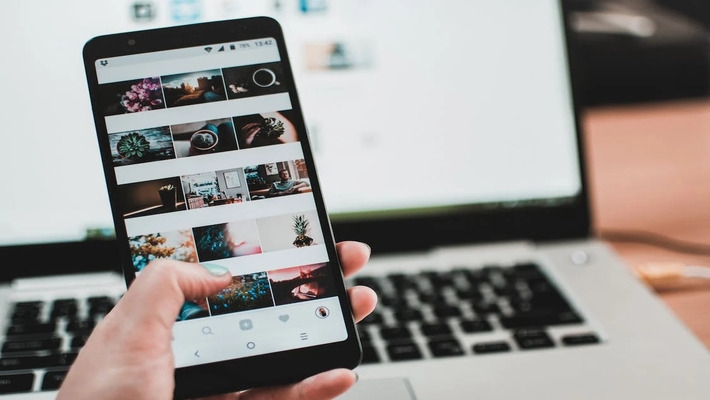
Not every day is created equal. Here is a day-by-day breakdown of when to post on Instagram for maximum reach in 2026.
Monday
Best time: 6-8 p.m. (peak at 7 p.m.)
Mondays start slow on Instagram. People are catching up on work and emails, not scrolling feeds. Engagement picks up in the late afternoon and peaks during the evening commute and post-dinner window. Skip morning posts on Mondays unless your analytics say otherwise.
Tuesday
Best time: 3-7 p.m. (peak at 5 p.m.)
Tuesday is when the week’s Instagram activity starts building. The afternoon-to-evening window performs well, with 5 p.m. being the sweet spot. Some data also shows an early-morning spike around 5 a.m. for accounts with global audiences.
Wednesday
Best time: 11 a.m.-1 p.m. and 6-8 p.m.
Wednesday is the best day to post on Instagram in 2026. The lunch window (especially 12 p.m.) consistently delivers the highest engagement rates of the entire week. If you only post a few times per week, make Wednesday one of them. The evening window at 6 p.m. is a strong secondary option.
Thursday
Best time: 7-9 a.m. (peak at 9 a.m.)
Thursday is unique — it is the only day where morning hours significantly outperform evenings. Early risers and morning scrollers drive strong engagement between 7 and 9 a.m. This makes Thursday ideal for feed posts, carousels, and content that benefits from a full day of accumulating engagement.
Friday
Best time: 7-8 p.m. (if you must post)
Friday engagement drops noticeably as people shift into weekend mode. If you do post on Friday, aim for the early evening. But honestly, your effort is better spent on Wednesday or Thursday content.
Saturday and Sunday
Best time: Avoid if possible.
Weekend engagement is the lowest of the week across virtually every industry. If you have weekend content planned, late morning (10-11 a.m.) tends to perform slightly better than other weekend slots. But do not expect the same reach you would get midweek.
Bonus: Best Times to Post on Facebook in 2026: A Detailed Breakdown
Best Time to Post on Instagram by Format: Reels vs. Feed Posts vs. Stories
The 2026 algorithm treats different content formats differently, and the best posting times vary by format.
Instagram Reels
Best times: 6-9 p.m. on Wednesday and Thursday, plus 12-2 p.m. on weekdays
Reels depend heavily on watch time and shares — both of which spike during evening leisure hours when people are relaxed and more likely to watch a full video. The lunch window works well too, as people browse during breaks. In 2026, the algorithm measures how long each viewer stays engaged with your Reel, not just view counts. Posting during high-attention hours helps your watch time metrics.
Feed Posts and Carousels
Best times: 6-9 a.m. and 11 a.m.-1 p.m. on weekdays
Static posts and carousels perform well during morning commute and lunch break windows. These formats benefit from quick engagement (likes, saves, comments) rather than extended watch time, making the shorter browsing sessions during work breaks ideal.
Instagram Stories
Best times: 8-10 a.m. and 7-9 p.m. daily
Stories have a 24-hour lifespan, so timing is less critical than for feed content. That said, posting in the morning catches the first-check-of-the-day crowd, while evening posts capture the wind-down scroll. Posting Stories daily helps maintain visibility with the algorithm, even on weekends. Make sure your profile’s link in bio is optimized so Story viewers who tap through have a clear next step.
Best Time to Post on Instagram by Industry
Your industry changes the equation. Here are the best Instagram posting times for specific sectors based on 2026 data.
Retail and E-Commerce
Best times: Monday-Friday, 12-3 p.m.
Lunch-break shopping momentum drives engagement for retail brands. Product posts, Reels showing items in action, and limited-time offers perform well during this window.
Technology and Software
Best times: Monday-Friday, 11 a.m.-3 p.m.
Tech audiences are active during the workday. Demo videos, feature highlights, and educational carousels land well during midday hours when professionals are browsing between tasks.
Education
Best times: Tuesday and Wednesday, 10 a.m.-12 p.m.
Education content peaks mid-morning on midweek days, aligning with campus and study routines. Infographics, tips, and how-to Reels work especially well in this window.
Health and Fitness
Best times: Monday-Wednesday, 6-8 a.m. and 5-7 p.m.
Fitness audiences check Instagram around workout times — before the morning session and after the evening one. Workout videos and transformation content posted during these windows see stronger engagement.
Food and Restaurants
Best times: Tuesday-Thursday, 11 a.m.-1 p.m. and 5-7 p.m.
Meal-adjacent timing works for food brands. Lunchtime posts catch the “where should I eat” crowd, while early evening posts reach people planning dinner.
Financial Services
Best times: Monday-Friday, 7-9 a.m. and 8-10 p.m.
Financial content sees early-morning engagement from people checking markets before work, plus late-evening activity from people researching personal finance after hours.
Bonus: How to Make Instagram Reels That Resonate with Gen Z and Millennials
How the 2026 Instagram Algorithm Affects Your Posting Schedule
The Instagram algorithm has shifted significantly in 2026, and understanding these changes helps you time your posts more strategically.
Engagement Velocity Is King
The biggest factor in 2026: how quickly people interact with your post after publishing. A Reel that gets 50 saves in the first 30 minutes will outrank one that gets 500 saves over three days. This is exactly why timing matters — post when your audience is active, and you get that critical early engagement burst.
Over 70% of Content Is Now Recommended
Instagram is a discovery engine now. According to Instagram’s official blog, more than 70% of the content in most people’s feeds comes from accounts they do not follow. This means your content competes with everyone, not just other accounts your followers follow. Strong initial engagement signals tell the algorithm your content deserves wider distribution.
Watch Time Over View Counts
For Reels especially, Instagram no longer just counts views. It measures how long each viewer stays. Posting during leisure hours (evenings, lunch breaks) when people have time to actually watch rather than quickly scroll past gives your Reels a watch-time advantage.
Scheduling Does Not Hurt You
Instagram CEO Adam Mosseri has publicly confirmed that scheduling posts does not negatively impact how the platform ranks or distributes your content. So you can plan your Instagram posting schedule in advance using a social media scheduler without worrying about algorithmic penalties.
How to Find YOUR Best Time to Post on Instagram
General data gives you a starting point, but your audience is not “general.” Here is how to find the posting times that work specifically for your account.
Step 1: Check Instagram Insights
Open your Instagram app, go to your professional dashboard, and tap “Insights.” Under the “Your Audience” section, you will find when your followers are most active — broken down by hours and days. This is your most valuable data source because it reflects your actual audience, not an industry average.
Step 2: Run a Two-Week Test
Pick three time slots based on the data above and your Insights. Post similar content at each time over two weeks, keeping the content quality and format consistent. Track reach, engagement rate, and saves for each post. Two weeks gives you enough data to spot patterns without overthinking it.
Step 3: Track Engagement Rate, Not Just Likes
Likes are surface-level. For the 2026 algorithm, focus on:
- Saves — the strongest signal that your content has value
- Shares — tells Instagram your content is worth distributing
- Comments — especially ones longer than three words
- Watch time — for Reels, aim for content people watch to the end
Use social media analytics to track these metrics across time slots and identify which windows drive the deepest engagement. While you are at it, pair your optimized timing with the right hashtags to maximize discoverability.
Step 4: Adjust Monthly
Audience behavior changes with seasons, trends, and platform updates. What works in April may not work in September. Review your posting schedule monthly and adjust based on fresh data.
Bonus: Best Time to Post on Pinterest in 2026
How to Build a Consistent Instagram Posting Schedule
Knowing the best time to post is only useful if you actually post consistently. Here is a practical framework.
Quality Over Quantity
The 2026 algorithm rewards quality over frequency. Three to five high-quality posts per week outperform daily low-effort content. Focus your energy on fewer, better posts timed to your peak windows rather than filling every day with mediocre content.
Batch and Schedule in Advance
The most efficient approach: set aside one block of time per week to create your content, then schedule everything in advance. Write your captions, design your visuals, and queue them up using a social media post generator to speed up the creation process. Then schedule each post for its optimal window.
This approach saves hours compared to creating and posting in real-time every day. And since scheduling does not hurt your reach, there is no downside.
Suggested Weekly Schedule Template
Here is a starting template based on the 2026 data. Adjust the times based on your own Insights:
| Day | Format | Time | Why |
|---|---|---|---|
| Tuesday | Carousel or Feed Post | 5 p.m. | Strong afternoon engagement |
| Wednesday | Reel | 12 p.m. | Peak engagement day + lunch window |
| Thursday | Feed Post or Carousel | 9 a.m. | Best morning window of the week |
| Thursday | Story | 7 p.m. | Evening visibility boost |
| Saturday (optional) | Story only | 10 a.m. | Light weekend presence |
This gives you 3-4 posts per week hitting the highest-performing slots. Add more as your capacity grows, but consistency matters more than volume.
Use a Content Calendar
Map out your posts at least two weeks in advance. Knowing what you will post and when reduces the “I should post something” stress that leads to rushed, low-quality content. A content scheduling tool with calendar views makes this simple – you can see your entire week at a glance and move posts around to hit the best time slots.
Common Instagram Timing Mistakes to Avoid
Even with good data, these mistakes can tank your reach.
Posting at the same time every day. Your best time on Wednesday is not your best time on Monday. Vary your schedule based on the day-specific data above.
Ignoring time zones. All the times in this guide should be applied to your audience’s local time zone, not yours. If most of your followers are in a different region, adjust accordingly. Check your Instagram Insights for audience location data.
Chasing viral trends at the wrong time. Jumping on a trending audio at midnight because you just saw it wastes the trend. Wait until your next optimal posting window — trends usually last 2-3 days, not 2-3 hours.
Copying a competitor’s schedule blindly. Their audience is not your audience. Use general data as a starting point, then customize based on your own performance data.
Giving up after one week. Two posts are not a test. Run experiments for at least two weeks before drawing conclusions about what works and what does not.
Make Every Post Count
The best time to post on Instagram in 2026 is when your specific audience is most active and engaged. Use the data in this guide – Wednesday and Thursday as anchor days, the 6-9 p.m. evening window for Reels, the 11 a.m. – 1 p.m. lunch window for feed posts — as your starting framework. Then refine based on your own Instagram Insights.
But timing is only half the equation. The other half is having content worth posting. If you are spending more time figuring out when to post than actually creating great content, that is a sign you need a more efficient workflow.
Simplified’s social media tools bring content creation, caption writing, and scheduling into one workspace —so you can design your post, write the caption, and schedule it for your peak window without switching between five tabs. Start free today and see how much time you get back.
Do More With Simplified’s Instagram Post Scheduler
Instagram is one of the most effective social media platforms where you can promote your brand and see quick and long-lasting results.
However, it’s no secret that managing a business Instagram account can be daunting and tiring – that’s why Simplified is here to help you!
Simplified is your one-stop-shop social media management software that allows you to schedule thousands of posts during your preferred time.

With this app, there’s no need for you to race with a time to post your content during peak hours – Simplified will do the hard work for you.
Moreover, you can manage multiple Instagram accounts simultaneously – ideal for brands with several accounts for specific target markets.
You can also use Simplified AI writer to generate error-free Instagram captions and hashtags!
This software has it all.
The only thing left for you to do is set up direct-to-Instagram publishing in an instant using Simplified!