Your marketing team, in every agent.
Brief Riley inside Simplified, or send the same work from the agent you already use. Nothing goes live until you approve it.
15 million+ users. Rated 4.6 on G2 from 5,000+ reviews, 4.6 on Trustpilot, 4.7 on Capterra.
Give Riley the brief. Get the campaign back.
We launch the whitening membership on Tuesday. Plan the campaign for Instagram, Facebook, and email, make the assets, and queue everything for my approval. Stay on brand.
On it. Reading the Harbor Dental Brand Kit, last quarter's top posts, and the membership page first.
Read File x2, Simplified API, Create Design, Schedule Post 12 assets BKIGFB 48s · 9:12a
- Read File Brand Kit: voice, palette, fonts, 14 approved posts 2/2
- Simplified API: Get Top Posts Last quarter, ranked by saves and booking clicks 1/1
- Read File Whitening membership page and 3 patient reviews 2/2
- Create Design 3 carousels, 1 launch video, 6 captions, 1 email 11/11
- Schedule Post Tuesday to Friday, 9 slots across 3 channels 9/9
Done. 12 assets are ready for review: 3 carousels, a 15-second launch video, 6 captions, and the launch email. Nothing is scheduled until you approve.

Approve the carousels and the email. Make the video hook punchier, then schedule everything.
Hook updated and the run is scheduled. 9 posts go out Tuesday to Friday. I will report back Monday with bookings and what worked.
Schedule launch week 9 posts queued · 3 channels IGFBEM 12s · 9:41a
Every Monday: plan this week's posts from what performed last week, draft them in our voice, and send them to me for approval by 9.
Last week, saves were up 34% on patient tips and down 12% on promos. This week: 5 posts, three tips and two team stories. Drafts below.
Simplified API, Read File, Write File x7 5 posts drafted IGFBBK 31s · 8:03a
- Simplified API: Get Analytics 7-day results across Instagram and Facebook 2/2
- Read File Brand Kit and 3 new approved posts since last run 1/1
- Write File 5 captions, 2 carousels 7/7


Approved. Swap Thursday for the hygienist story we shot last week.
Swapped. 5 posts are scheduled and Thursday is the hygienist story. Next run: Monday 8:00 AM.
Pull the September report, in our brand, and send it to Dr. Ahmed's review link.
Report ready. Reach is up 41% and 3 posts drove 80% of the booking clicks. Sent to Dr. Ahmed for review.
Simplified API, Write File, Send For Review 4 channels · brand template IGFBG 56s · 4:01p
- Simplified API: Get Analytics Instagram, Facebook, Google Business, website 4/4
- Read File Brand Kit report template 1/1
- Write File Summary, top posts, next month's recommendation 1/1
- Send For Review Sent to Dr. Ahmed, practice owner 1/1
Good. When he approves, schedule October.
Set. The moment Dr. Ahmed approves, I will schedule October's 18 posts and ping you in Slack.
Riley reports back to
- Analytics
- Search Console
- Meta Ads
- Google Ads
- HubSpot
- Slack
- Notion
- Drive
That was one brief. Hand Riley yours.
Start with RileyMost marketing tools stop at a draft, a clip, or a scheduled post.Someone still has to turn those into a campaign that actually ships.
Usually you, at 11pm, across five tabs.
The jobs
Hand Riley the work you keep doing by hand.
Social, launches, articles, search, video, ads, PR, and client reporting. Every job ends the same way: Riley shows its work, you make the call, and the approved work ships.
The weekly posts, without the weekly scramble.
Riley reads what worked last week, drafts next week in your voice, and queues it for one approval.
See the social schedulerPlan and draft next week's posts from what performed.
Saves were up 34% on patient tips. Drafted 5 posts for next week: three tips, two team stories.
Approve. Move Thursday's post to Friday.
One brief becomes the whole launch.
Designs, a launch video, captions, the email, and the schedule, all from one message. You review everything in one place.
Start a launch with RileyWe launch the whitening membership Tuesday. Plan it, make the assets, and queue it for my approval.
12 assets are ready: 3 carousels, a 15-second video, 6 captions, and the launch email. Nothing goes out until you approve.
Approved. Give the video a punchier hook.
Articles built from what your customers actually ask.
Riley drafts long-form in your voice from your product facts and past posts, adds the internal links, and hands you a draft with sources, not a wall of text.
See the AI writerWrite a 1,200-word guide on how often to whiten your teeth, in our voice, linking to the membership page.
Draft ready: 1,240 words, 4 internal links, 3 sources cited. Two clinical claims are flagged for Dr. Ahmed to confirm before it goes out.
Confirmed with Dr. Ahmed. Publish Thursday and draft the social cuts.
Show up in Google and in AI answers.
Riley checks which buyer questions you rank for, which ones ChatGPT and Google AI Overviews answer without you, and rewrites or builds the pages to close the gap. Every change is staged as a draft.
See the AI writerWhich teeth whitening questions are we missing in AI answers? Fix the top three.
Harbor Dental is cited on 4 of 12 local whitening questions. Rewrote 3 pages for the biggest gaps, all staged as drafts, nothing live.
Ship the sensitivity page first. Hold the other two for Dr. Ahmed's review.
Long videos become short ones people watch.
Riley cuts your webinar or podcast into clips, adds captions in your brand style, and drafts the post for each one.
See AI ClipsTurn Thursday's live Q&A with Dr. Ahmed into clips for Instagram and Shorts.
Found 6 moments worth clipping. Captions styled from the Harbor Dental Brand Kit. Strongest one first.
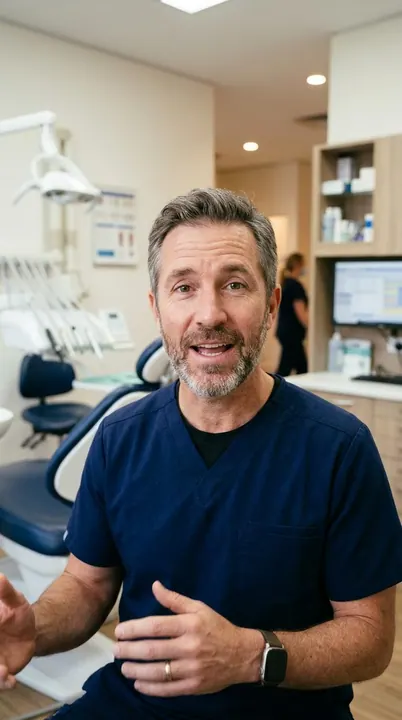
Post the first two this week. Keep the rest as drafts.
Ad creative that ships before the budget expires.
Riley drafts ad variants from your best organic posts, sizes them per placement, and waits for your approval before anything spends.
See the ads generatorMake 3 Meta ad variants for the whitening membership from our top post this month.
3 variants ready, sized for Feed, Stories, and Reels. Copy pulled from the post with 2.1x your average saves.
Whiter teeth, one short visit a quarter. The Harbor Dental whitening membership is open, and the first session books in under a minute.

Run variant B. Cap it at $500 for the week.
The announcement, the pitches, and the follow-ups.
Riley drafts the release in your voice, builds the pitch list from outlets that covered you before, and keeps every send waiting for your approval.
Start with RileyWe open the Riverside location in October. Draft the press release and a pitch for the 10 local outlets that covered us before.
Release drafted and 10 pitches personalized from each outlet's last story about Harbor Dental. Nothing sends until you approve.
Approve the release. Send the pitches Tuesday at 7am.
The monthly report, in the client's brand, sent for review.
Agencies run Riley per client. It pulls each client's numbers, writes the summary in their brand, and sends it to their review link. You get pinged when they approve.
See agency workspacesSeptember report for Harbor Dental, in their brand, to their review link.
Sent. Reach is up 41% and 3 posts drove most of the booking clicks. Waiting on Harbor Dental.
When they approve, schedule October.
Built for your kind of business.
Riley runs the same jobs in every industry. These pages show what the work looks like in yours.
-
 Dental, med spa and healthcare Riley for clinics Patient tips, service launches, review replies and ads that stay inside what you are allowed to say. Riley for clinics
 -
 Cafes, gyms and local services Riley for small business The week's posts, the new menu, the Google reviews and the monthly numbers, approved from your phone. Riley for small business
 -
 B2B SaaS Riley for SaaS teams The changelog post, the launch email, the LinkedIn carousel and the SEO article, from one launch brief. Riley for SaaS
 -
 Retail and ecommerce Riley for retail Seasonal collections, product carousels, catalog ads and the orders report, in your brand. Riley for retail
 -
 Marketing agencies Riley for agencies One workspace per client, review links, approvals and the monthly report in each client's brand. Riley for agencies
Bring your own agent
Already in Claude? You're one command away.
Add Simplified to Claude, Codex, Cursor, Muse or any MCP client. Your agent gets your brand kits, creative tools, approvals, publishing and reports, the same layer Riley runs on.
-
Claude
-
ChatGPT
-
Codex
-
Cursor
-
Gemini
-
Grok
-
OpenClaw
-
Hermes
-
Windsurf
-
VS Code
- M Muse
Let your agent set itself up
Paste this into Claude Code, Codex, Cursor or any agent that can configure its own tools. It connects Simplified, adds the skills and walks you through sign-in.
Read https://docs.simplified.com/setup.md and set up Simplified in this client. Reuse existing connections and skills, complete the setup steps you can perform, and guide me through sign-in when needed. Verify access without creating content or spending credits.Or set it up step by step
Run these inside Claude Code. The plugin brings the connection and the skills.
-
Add the Simplified marketplace.
/plugin marketplace add celeryhq/simplified-ai -
Install the plugin.
/plugin install simplified-ai@simplified-ai -
Sign in to your Simplified workspace when Claude Code asks.
-
Connect the hosted MCP server.
codex mcp add simplified --url https://apikit.simplified.com/mcp -
Sign in.
codex mcp login simplified -
Add the skills.
npx skills add celeryhq/simplified-ai --skill '*' --agent codex --global
-
Add the server to your Cursor MCP config.
{ "mcpServers": { "simplified": { "url": "https://apikit.simplified.com/mcp" } } } -
Sign in, then turn the Simplified tools on in Cursor.
-
Add the skills.
npx skills add celeryhq/simplified-ai --skill '*' --agent cursor --global
-
Open Settings → Connectors and add a custom connector named Simplified.
-
Paste the server URL.
https://apikit.simplified.com/mcp -
Sign in with Simplified, then enable it in a new chat.
-
Open Settings → Plugins and find Simplified.
-
Select Install plugin, then connect your Simplified account.
-
Ask for real work, like three LinkedIn drafts in your brand kit, kept unpublished. The workflow skills come with the plugin.
For scripts, CI and agents that run shell commands.
-
Install the CLI.
npm install -g simplified-cli -
Sign in with a named profile.
simplified auth:login my-workspace -
Save your first draft. Nothing is scheduled or published.
simplified posts:create \
  --content "A first look at what we are building." \
  --accounts "ACCOUNT_ID" \
  --action draft
Any agent with remote MCP, including Muse, OpenClaw, Hermes, Gemini and Windsurf.
-
Add a remote MCP server named Simplified.
https://apikit.simplified.com/mcp -
Sign in with OAuth. If your agent takes a header instead, create a key in Simplified → Settings → API keys and add it through the agent's secure credential settings.
Authorization: Bearer YOUR_API_KEY -
If your agent supports skills, install them from the
celeryhq/simplified-airepository.
Then ask: "Show my Simplified workspace and teamspaces." Your agent should answer with real names, without creating anything or spending credits.
Includes 22 workflow skills. Drafts stay drafts until you approve.
The three things a marketing team worries about.
Riley answers each one before you have to ask.
It knows your brand.
Brand Kit holds your colors, fonts, voice, products, and approved examples. Riley reads it on every job and learns from every approval.
It works where you work.
Connected to 3,000+ apps: your social accounts, ad platforms, CMS, Slack, Notion, Google Drive, and more. Approved work moves to the right place with the schedule attached.
It runs without you.
Turn any job into a scheduled workflow. Build your own agents in Agent Studio for launches, reports, and handoffs. Everything still stops for your approval.
What 5,000+ verified reviews keep saying.
The BEST for Social Media Scheduling...And I've Tried Them All
This has been the only social media scheduler that I haven't ran into a million problems with. I appreciate that I can create content, upload and schedule it and not have to worry about whether or not it's going to actually post.
Simplified is both the name and the perfect description
Simplified makes it easy to manage a brand - or multiple brands. Within its 'simplified' interface, the social media management and scheduling lets you go directly from idea to implementation with a few intuitive clicks.
Not The Jack Of All Trades, The Master!
Simplified is an AI writer, graphic design tool, video editor and social media scheduler. Four tools in one, streamlining my workflow and allowing me to unsubscribe from various other tools - saving me tonnes of cash.
An Innovative All-in-One Solution for Productivity and Engagement
Simplified Platform's integration with marketing and social media tools streamlined my campaign management. The seamless connection to popular platforms allowed for efficient scheduling and posting of content.
The social media planner is so integrated
The video editor saves me so much time. I love the social media planner especially because it's so integrated into the entire Simplified system. You can't find this anywhere else!
All the gadgets a marketer needs
It's so intuitive and streamlined that I actually started to believe I had superpowers myself. From social media management to data analytics, this app has all the gadgets a marketer needs.
One marketing team per client.
Each client gets its own Brand Kit, channels, calendar, and review link. Harbor Dental is one workspace of many. Switch between them without rebuilding the process, and let Riley run the same jobs for every client.
- Client review links with approve or request changes
- Shared calendars per client
- Monthly reports in the client's brand
- Roles and approvals per workspace
What actually gets finished.
The honest version. Riley is not a strategist. It is the part of marketing that never gets done.
| Riley | A freelancer | ChatGPT | |
|---|---|---|---|
| How you brief it | One sentence in plain English | A call, a doc, and a week | A prompt, then rewrites |
| Knows your brand | Brand Kit, learns from every approval | After a few rounds | Paste it in every time |
| Makes the assets | Designs, video, captions, email, ads | Depends who you hired | Text only |
| Publishes and reports back | ✓ | You still do it | ✕ |
| Runs on a schedule | ✓ | ✕ | ✕ |
| Waits for your approval | Always, before anything goes live | Usually | Nothing to approve |
| Works for every client | One workspace per client | One at a time | ✕ |
The questions you'd ask before handing over your marketing.
We'd ask them too.
Will it post without my approval?
Not unless you tell it to. Review is the default: work queues as drafts and you approve or reject it. Auto-publish is opt-in per workflow, and you can pause everything instantly from the app or Slack.
Why not just use ChatGPT?
ChatGPT hands you a draft and stops. You still open four or five tools to turn it into a design, a post, a schedule, and a report. Riley does the part after the draft: it reads your Brand Kit, makes the assets, queues them for your approval, publishes, and reports back. Keep ChatGPT if you like it. Riley is the rest of the job.
Can I run it from Claude, Codex or Cursor instead?
Yes. Connect Simplified once and your agent gets the same Brand Kits, creative tools, approvals, publishing and reports Riley uses. Brief it where you already work. The drafts still land in Simplified and wait for your approval.
How is this different from hiring a freelancer or an agency?
A freelancer needs a brief, a call, and a week. Riley takes one sentence and comes back in minutes with the work laid out for review, and it remembers last month. Agencies use Riley too: one workspace per client, with the client's own review link. It does not replace judgment. It removes the waiting.
Will it actually sound like my brand?
It reads your Brand Kit and your approved past posts, then adjusts every time you approve or reject a draft. The longer you use it, the closer it gets.
Can my team and my clients review the work?
Yes. Teammates get roles and approval rights per workspace. Clients get a review link where they can approve or request changes without an account.
Who owns what it makes?
You do. Copy, designs, video, captions, and campaign assets belong to your account, and you keep them even if you cancel.
Do I need to know MCP, CLI, or APIs?
No. You can start with Riley in plain English. MCP, CLI, and API access are optional for teams that want to connect their own agents.
What if it creates something embarrassing?
It cannot publish it unless you approved it or turned on auto-publish for that workflow. One tap rejects a bad draft, and Riley learns from the rejection.
Hand Riley one campaign.
See what comes back before anything goes live.