Ditch the Choppy Edits, Craft Captivating Videos: Effortless Merging with Merge Mkv Videos
Merge Merge Mkv Videos Like a Boss: No Skills Needed, Just Drag & Drop Bliss
Merge Mkv Videos Now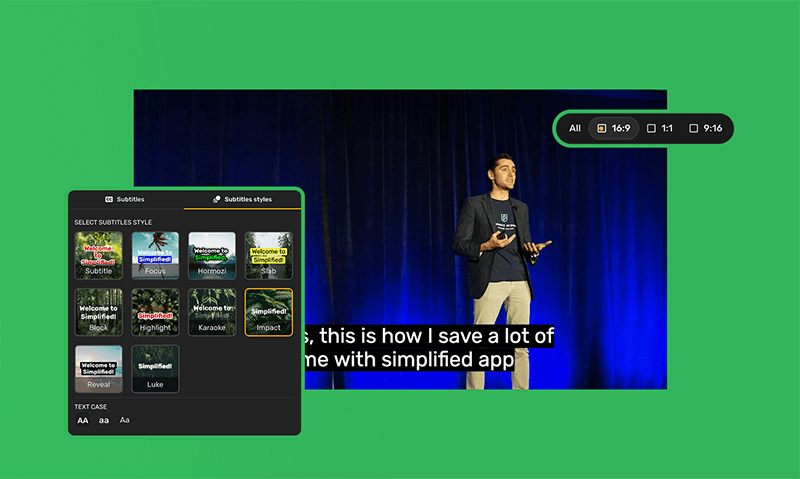
Stop Editing Time Crunch with Drag-and-Drop Storytelling
No editing skills? No worries! Merge Mkv to Videos makes everyone a pro. Drag your vision to life with user-friendly tools and stunning visuals. Impress your audience without any fancy training.
How to Merge Mkv Videos in few easy steps
Merge Mkv Videos Now Videos Now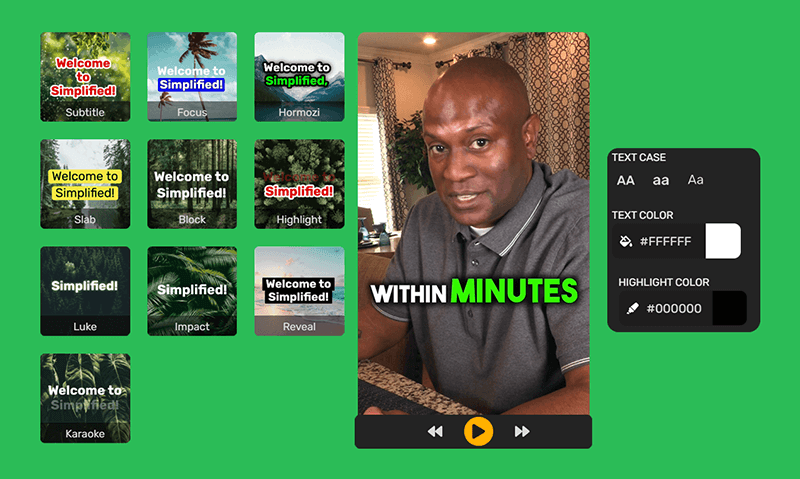
Level Up Your Videos in a Flash with Merge Mkv Videos
Forget expensive software and pro editing courses. Merge to Videos is your secret weapon for crafting stunning video content. Access a library of hundreds of premium templates and watermark-free stock videos to instantly add visual punch to your project.
Do More, Create More With Merge to Video
Merge to Video FAQs
And some things you'd ask us.
What file formats does Merge to Videos support?
We currently support most popular video formats, including MP4, MOV, AVI, WMV, MKV, FLV, and M4V. If you have a different format, we recommend converting it to one of our supported formats before uploading. You can find plenty of free online converters available!
Can I add music to my merged video?
Absolutely! Once you've woven your clips into a masterpiece, head over to our Simplified Video Editor. There, you can upload your own MP3 or WAV file, or dive into our vast library of royalty-free music. We've got tunes for every mood and theme, from peppy pop to heart-wrenching ballads, ready to elevate your creation to the next level. So go ahead, find the perfect soundtrack and let your video truly shine!
How can I use text overlays to enhance my video storytelling?
Unleash the power of text overlays without overwhelming your viewers! Remember, less is often more. Opt for short, punchy phrases that add context or highlight key moments in your story, rather than flooding the screen with information. Choose a clear, readable font that stands out against your video background, and make sure the color contrast is high enough for anyone to see. Finally, find the sweet spot for timing: display the text long enough to be absorbed, but don't let it linger and distract from the visuals. By mastering these subtle tips, you can transform your text overlays from simple captions into powerful storytelling tools, elevating your video to the next level!
Any advice for making my first merged video awesome?
Taking your first dip into video merging? Take a deep breath and dive in! Start with a manageable story, weaving together just a few well-chosen clips to build a clear narrative. Don't be afraid to experiment with the built-in transitions, filters, and text animations, a splash of visual pizzazz can go a long way. Remember, less is often more, so avoid cluttering your project with too many effects. And once your masterpiece is ready, don't hide it away! Share it with friends and family - their honest feedback is like gold, helping you refine your storytelling skills and build confidence for your next video adventure. Remember, the magic of video editing lies in the journey, so have fun, explore, and let your creativity flow!
Amazing. Fantastic. I really liked.

Simplified is the Best video editor app. Ai video. Short ai video maker is very helpful.

Incredible Experience. It is the best of the AIs, I love it because it has everything and gives you an incredible experience

very good application. it helps me a lot for my business, highly recommended

A great place for creative work. Ease of content generation, with results generated through simple prompts that capture the exact need of the user.

Simplified is very easy to use and learn. I am happy with the massive results with just a few key words.

Resizing Woes are a Thing of the Past! Merge Videos Makes it as Easy as Click, Export, Shine.
With the click of a button, transform your video to fit any platform and watch it take center stage on the world stage.