The AI movie maker that keeps your cast the same in every scene.
Studio is an AI director. Pitch one sentence and it writes the story, designs the characters once, then holds the same faces and the same look through every shot and every episode.
Watch the director make oneOr start from one of these
One sentence in. Watch the director work.
It plans first, casts once, and checks every take before you see it. This is a real production, The Wrong Passport, from the brief to the cut.
The Wrong Passport: a courier discovers the passport he carries belongs to a missing man, and every safe house expects him to be that man.
Here is the plan. Nothing is made until you approve it.
A courier carries a missing man's passport. Every safe house expects him to be that man.
- Story
- 48s
- 16:9
- 12 shots in 3 scenes
Look Anamorphic 40mm, desaturated teal, one passport-red accent, 35mm grain
- 1
- 2
- 3
- 4
- 5
- 6
- 7
- 8
- 9
- 10
- 11
- 12
Plan approved
Casting David, Miriam and Eliav once, with the places and props. Every shot is built from these references.
Shooting 12 shots across 3 scenes. Same faces, same look.
I checked every take. Dialogue and score are on. Your cut is ready.
-
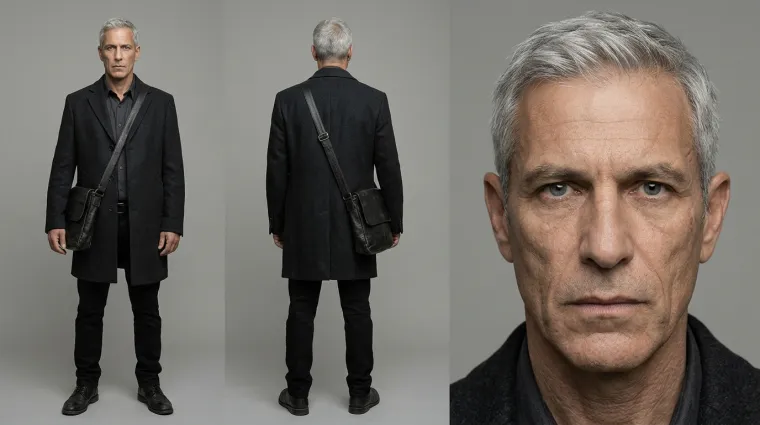
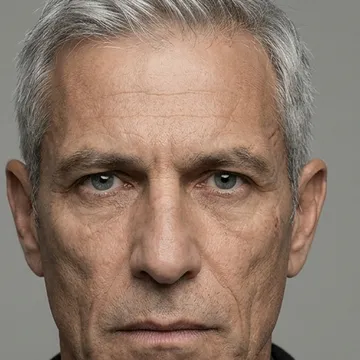 David Character
-
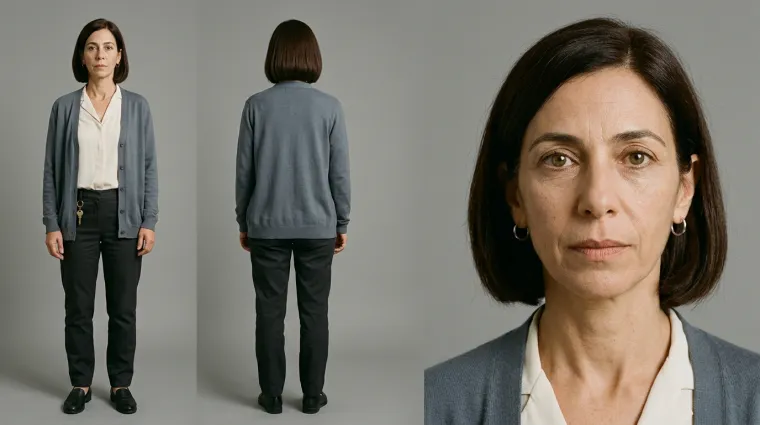
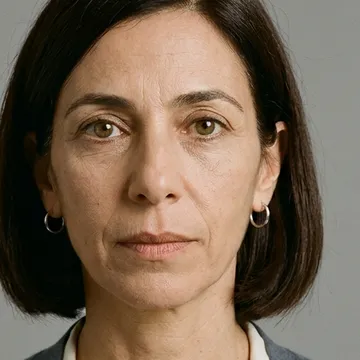 Miriam Character
-
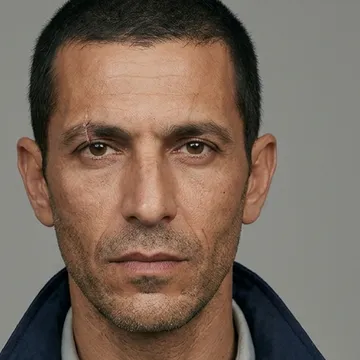 Eliav Character
-
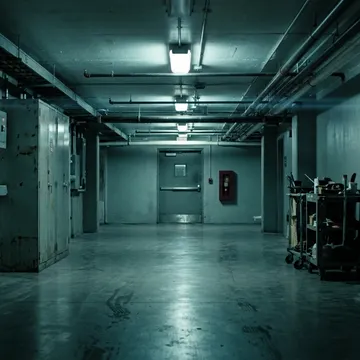 The corridor Location
-
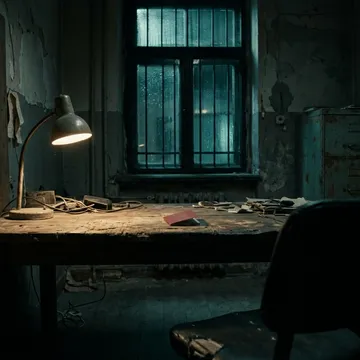 The back room Location
-
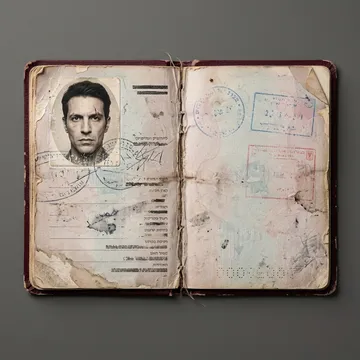 The passport Prop
-
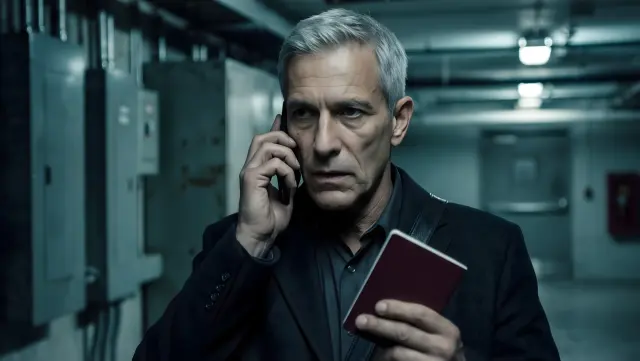 1 David
-
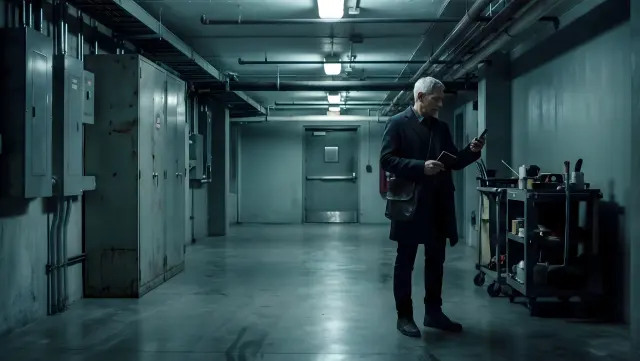 2 David
-
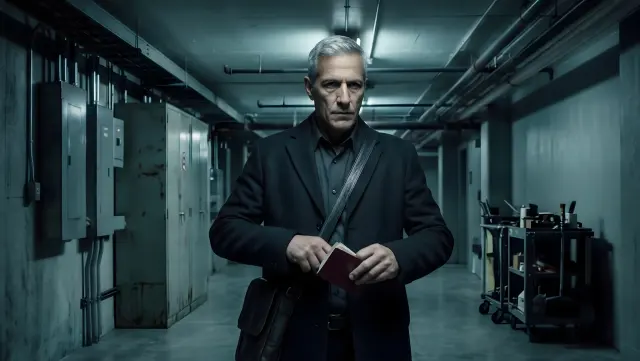 3 David
-
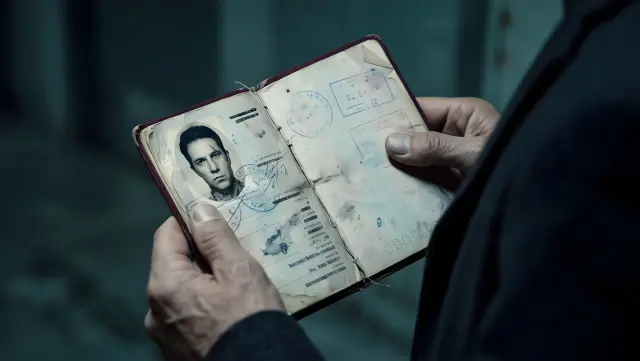 4 The passport
-
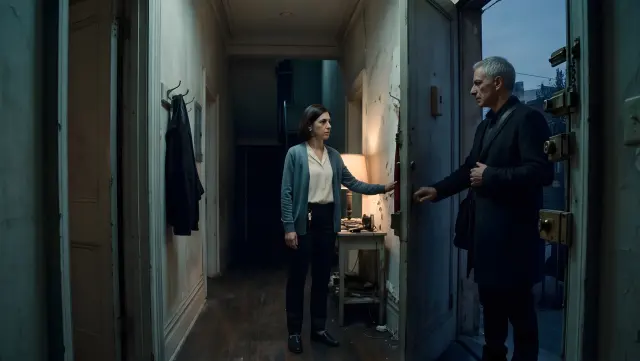 5 Miriam and David
-
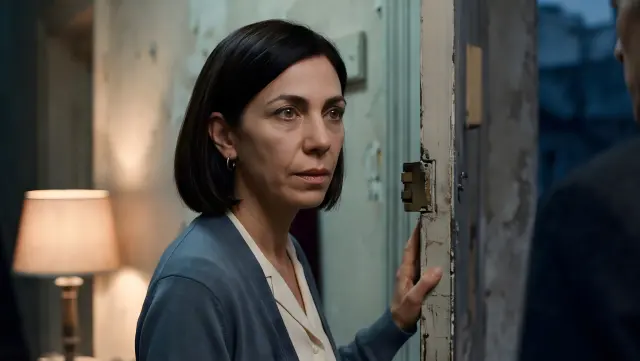 6 Miriam
-
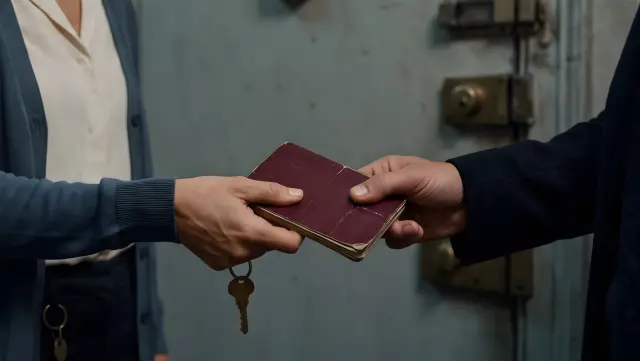 7 The handover
-
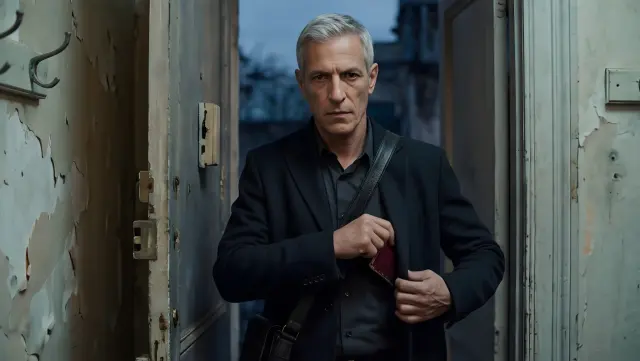 8 David
-
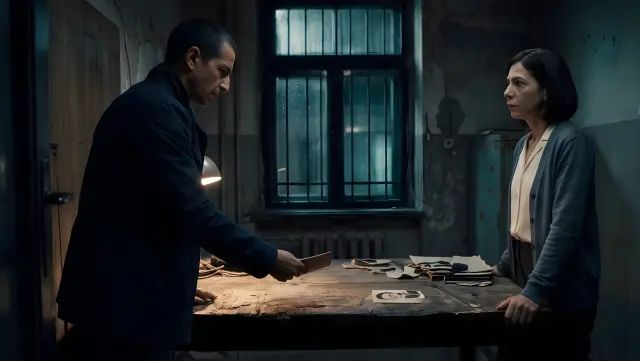 9 David and Miriam
-
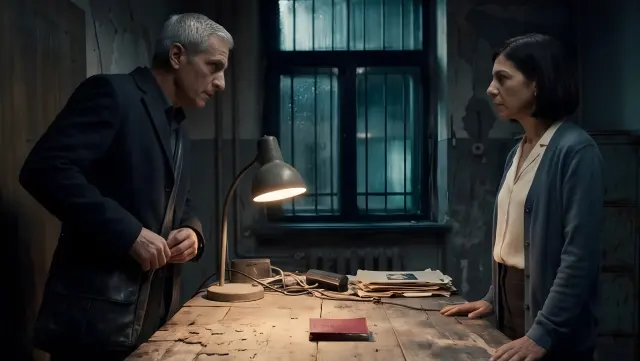 10 David and Miriam
-
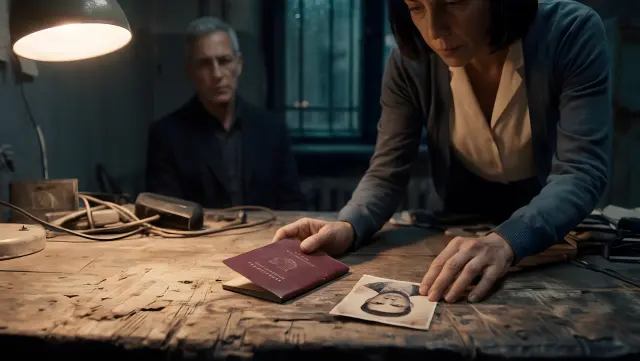 11 Miriam and David
-
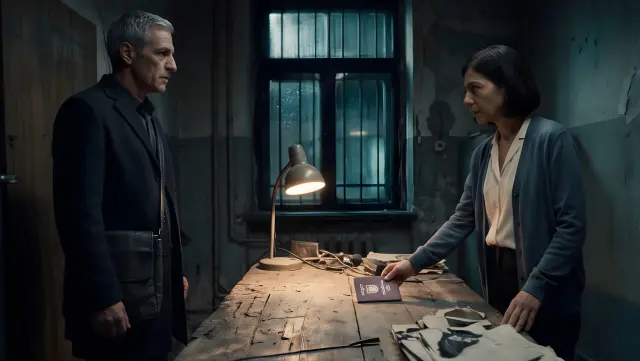 12 David and Miriam
A real Studio production. Every frame on this board came out of Studio.
And this is the film it made.
Episode one, 48 seconds, with dialogue and a score. Press play and turn the sound on.
One cast. One look. From the first shot to the last.
Most AI video gives you a new face every time you press generate. Studio designs each character and each location once, then builds every shot from those references. Check the faces yourself.
- Shot 1
- Shot 3
- Shot 8
- Shot 10
- Shot 5
- Shot 6
- Shot 11
- Shot 12
- Characters made onceEach lead gets a reference sheet. Every shot they appear in starts from it, so the face, the hair and the outfit hold.
- A look that does not driftLens, palette and lighting are set in the plan and written into every frame, so scene nine matches scene one.
- Episode two keeps the castNew episodes in the same project reuse the people and the places. You describe what happens next, not who everyone is.
Four kinds of film. Each starts as one sentence.
The format changes how the director writes. The way you start does not.
-
Mini dramas
Serialized short dramas with a cast that stays the same and a cliffhanger at the end of each episode.
-
Faceless videos
Narrated videos with nobody on camera. Bring a topic or a script; the visuals, voice and score are made for it.
-
Animated videos
Pick a look, such as anime, watercolor, 3D or stop motion, and every frame of the story is drawn in it.
-
Films that star you
Add a few photos and the lead is cast from them. A bedtime story with your kid in it is a sentence away.
You direct. Studio runs the production.
Planning, building, review. Nothing is made until you have seen the plan, and nothing moves on until you say so.
Give the director one sentence.
Type an idea, paste a script, or choose Star in it. Not sure what to pitch? Ask for three angles on your idea and pick the one you like.
Approve the plan, then each layer.
Studio writes the plan first. Then it makes the film in layers: cast and world, shots, voice and music. You sign off on each one, or switch to auto mode and let it run.
Watch the cut.
The layers come together as a finished film. Start another episode with the same cast, or open a single scene and redo it.
Have an idea you keep meaning to film?
Type it in and read the plan before anything gets made.
Need one piece, not a whole film?
Every part of the production line is also a tool you can open on its own.
Image to video
Hand over a reference image and describe the motion. The person, product or look in the picture stays recognisable across the clip. Runs on Veo 3.1, Kling 3.0, Seedance and Wan.
Image generator
A still from a prompt, with optional reference images to carry a likeness or a style. Choose the model, the look and the aspect ratio.
Character generator
Describe a character once and get a four-view reference sheet. Use it to keep the same face and outfit in every scene and every episode.
Voice generator
Turn a script into narration. Preview the voices, set the language and the pace, and generate the read.
Music generator
An original track from a description: genre, mood, instrumental or with vocals, at the length your film needs.
Upscaler
Restore detail in a clip or a still you already have, and enlarge it up to four times.
See the plan before the film exists.
Most AI video tools hand you a finished clip and a regenerate button. Studio shows its work. You read the plan, meet the cast, look at the shots and hear the voices, in that order. Change your mind early, when it is one line to fix and not a whole film.
- Review the plan before a single scene is made
- Sign off on cast, shots, voice and music one layer at a time
- Switch to auto mode when you trust the direction
Where to go from here
Made in Studio
Studio, answered
What people ask before they pitch their first film.
What is Simplified Studio?
Studio is an AI movie maker built around a director. You describe a film in a sentence and it plans the story, creates the cast and the world, shoots the scenes, adds voice and music, and assembles the cut. It also has single-purpose tools for video, images, characters, voice, music and upscaling.
How does Studio keep characters consistent?
It makes each character and each location once, as a reference, before any scene is shot. Every shot is then generated from those references, and the director reviews the takes for identity before you see them. The look (lens, palette, lighting) is fixed in the plan and applied to every frame, so the whole film reads as one piece.
What can I make with it?
Mini dramas, faceless narrated videos, animated videos, short films, bedtime stories, birthday films and family histories. Anything that starts as a story and ends as a video.
Do I need a script?
No. Start in Idea mode with one sentence and Studio writes the plan. If you already have a script, switch to Script mode and it follows your words instead.
How much control do I have over the result?
As much as you want. With Approve each step, you review the plan and then each layer (cast and world, shots, voice and music) before the next one is made. Auto mode skips the reviews and shows you the finished cut.
Does the cast carry over to the next episode?
Yes. Episodes in the same project reuse the characters and locations that were already made, so episode two opens with the same people in the same places. You can also build a character on its own with the character generator, from a description or from reference photos.
Which AI models does Studio use?
You pick the model for each job. Video runs on Veo 3.1, Kling 3.0, Seedance, Wan and others. Images run on models including Nano Banana Pro, GPT Image and FLUX.2 Pro. Voice includes ElevenLabs, and music includes Suno.
Is Studio the same as the Simplified app?
It is a separate product with its own sign-in. The Simplified app is where teams design, edit video, write and schedule social posts. Studio is built for one job: turning a story into a film.
Looking for the video editor instead? Start here How does pricing work?
Studio is pay as you go. You add funds and pay for what you make, and you see an estimate before anything is generated.
One sentence in. A finished film out.
Pitch the idea, approve the plan, watch the cut.