

 By
By I’ve lost count of how many times I’ve sat down to write a blog or plan out social posts, only to stare at a blank page for way too long. The ideas were there… somewhere, but pulling them out felt like digging for buried treasure without a map. That’s when I started experimenting with AI workflows. And honestly, it’s like having a personal assistant that nudges me in the right direction when I’m stuck.
The way I see it, AI workflows don’t just spit out content—they guide the entire process. From spotting trending topics to mapping out a posting schedule, it feels more like a creative partner than just another tool. Let me walk you through what that looks like step by step.
Why Use AI Workflows for Blog & Content Planning?
When I first started planning content, I’d spend entire weekends buried in tabs—checking search trends, scrolling through competitors’ blogs, and making messy spreadsheets. Honestly, half the time I’d lose track of what I was even looking for. That’s why AI workflows feel like such a relief. They don’t just speed things up—they cut out the busywork.
- Time-saving – Instead of taking me days to piece together keyword lists and topic ideas, I can get results in minutes.
- Data-driven insights – The decisions aren’t just based on gut feeling. AI taps into analytics, SEO trends, and even audience signals.
- Consistency – A lot of people (myself included) struggle to keep a content calendar steady. AI keeps it structured and makes sure I never run out of ideas.
- Scalability – This is a big one. It’s not just for blogs. The same AI workflow can support posts, newsletters, and even short-form videos.
And, well, here’s the part I didn’t expect: once I started using AI workflows, I realized they don’t take away creativity—they actually give me more room to focus on the creative side because the heavy lifting is handled.
Bonus: AI Workflows vs AI Agents — A Quick Guide for No-Code Builders
Key Benefits of AI Workflows in Content Planning
Now, let me break down what these AI workflows actually do. I mean, it’s one thing to say “they help with planning,” but what does that look like in real life?
- Content Theme Discovery – This one’s pretty smart. It digs through search trends, competitor posts, and audience insights to suggest themes that people actually care about.
- Trend Pulse Scan – Think of it like a radar for what’s buzzing right now. It detects real-time trending topics and keywords so you’re not stuck writing about yesterday’s news.
- Competitor Radar – This tool shows me gaps in competitor blogs. Sometimes I’ll notice they completely missed a topic I can cover—and that’s free traffic waiting to happen.
- Topic Genius – I kind of like this one because it feels like brainstorming with a super-organized friend. It suggests blog topics that are SEO-friendly and have real impact.
- Smart Quantity Planning – Here’s where it gets practical. Instead of guessing, it helps decide how many blogs or posts to create for a campaign.
- Cross-Platform Adaptation – This is where things connect. A single blog can be adapted into a LinkedIn post, a newsletter snippet, or even a script for a quick video.
Actually, let me rephrase that last one—it’s not about “repurposing” content in a bland way, it’s about giving the same idea different voices across platforms. That’s what keeps things fresh.
Bonus: How AI Agentic Workflows Are Changing the Way We Work Forever
How to use AI Workflow for Blog OS – Generate Content Ideas (Practical Flow)
Step 1: Log in to Your Simplified Account
Start by signing in to your Simplified dashboard. go to AI Workflow Templates section, where a library of pre-built workflows is designed for different content needs.
Step 2: Select “Blog OS – Generate Content Ideas”

From the workflow list, choose Blog OS – Generate Content Ideas. This workflow is designed to take the guesswork out of brainstorming by analyzing trends, audience behavior, and competitor activity.

Step 3: Enter Your Inputs
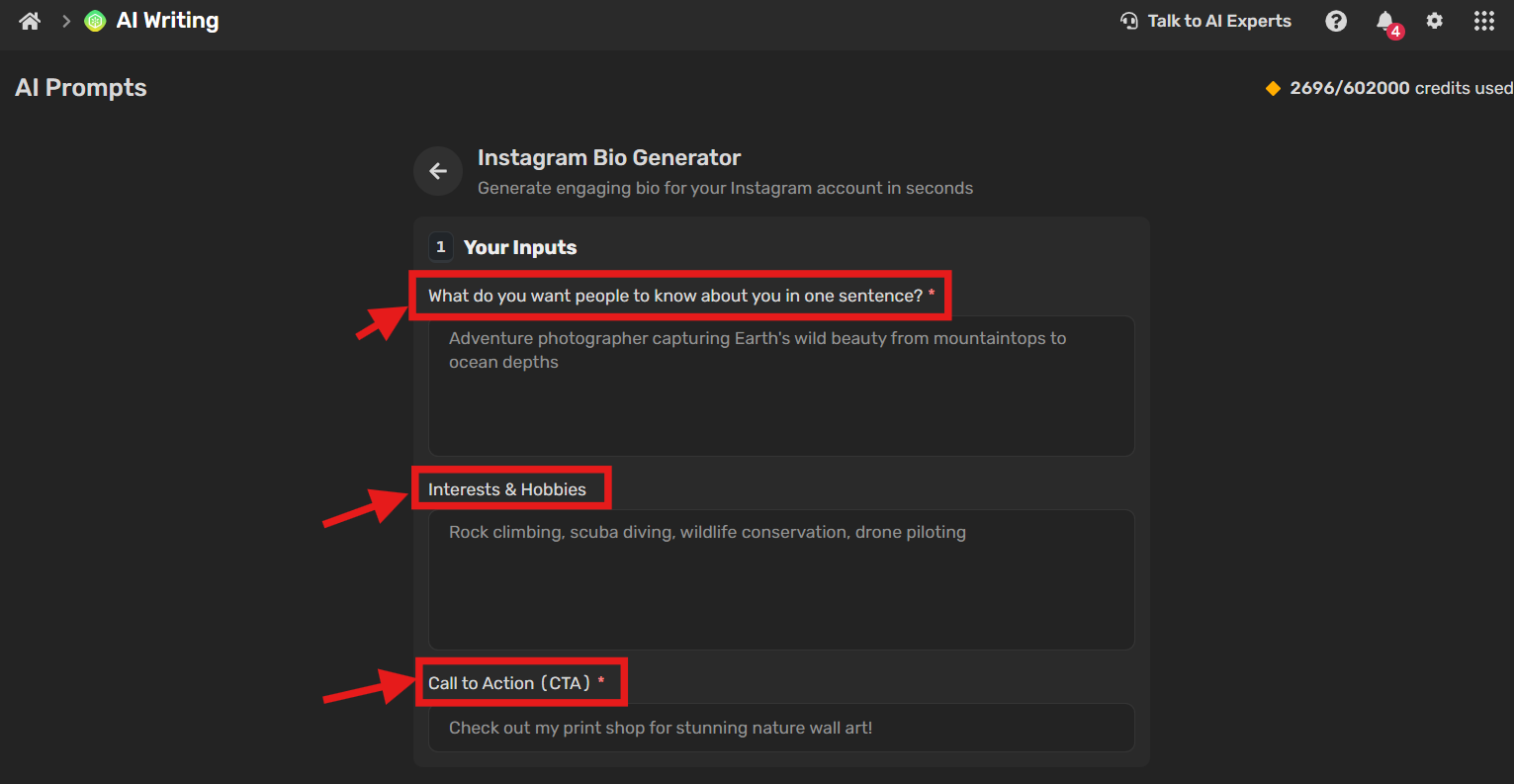
Fill in the required fields to get the suitable AI’s output:
- Brand Brief – Share your brand values, tone, and goals so the AI generates content that aligns with your identity.
- Content Type – Specify whether you need blogs, social posts, newsletters, or videos.
- Broad Topics & Keywords – Give the AI a direction by mentioning general themes and keywords you want to target.
- Quantity – Decide how many content ideas you’d like generated.
🔹 Choose the Right Post Type: AI can recommend formats based on your audience’s preferences and marketing goals:

- Blog Posts – Ideal for long-form guides, SEO-friendly articles, and storytelling pieces.
- Social Media Posts – Short, engaging, and visual, perfect for quick engagement.
- Videos & Infographics – Effective for tutorials, product demos, and visual storytelling.
- Email Newsletters & Podcasts – Great for nurturing relationships and building consistent engagement.
- Case Studies & Testimonials – Build credibility with proof-driven content.
Step 4: Add Competitor URLs (Optional)

To fine-tune your results, you can input competitor blog or website URLs. This gives the AI extra context, allowing it to spot content gaps and create ideas that help you stay ahead.
Step 5: Generate Ideas
Click Start, and within seconds, the AI will deliver a list of structured, ready-to-use content ideas. Each idea is aligned with audience interests, SEO trends, and current market signals.
The Benefit: Instead of spending hours brainstorming, this workflow instantly gives you content ideas that are strategic, data-driven, and easy to plug into your calendar.
Bonus: n8n vs Zapier vs Make: A Detailed Comparison of Top Automation Platforms
FAQs
1. How do AI workflows make blog planning faster?
AI workflows automate research, keyword analysis, and topic suggestions. What normally takes hours or days can be done in minutes, giving you more time to focus on writing and strategy.
2. Can AI workflows suggest a full content calendar?
Yes. AI can map out blog topics, posting frequency, and even suggest the best publishing times based on audience activity and SEO trends.
3. What’s the difference between AI workflows and regular content tools?
Regular tools focus on one step (like keyword research or scheduling). AI workflows combine multiple steps—research, idea generation, SEO, and planning—into one connected process.
4. Can AI workflows help repurpose one blog into multiple formats?
Yes. AI can adapt a single blog into social posts, email newsletters, or even video scripts, making it easier to maintain consistency across platforms.
5. Are AI workflows accurate with trend detection?
AI uses real-time data from SEO signals, competitor blogs, and social trends to recommend timely topics. While human judgment is still needed, the accuracy is much higher than manual guesswork.
6. How do AI workflows support SEO-driven blogging?
They analyze keyword trends, audience intent, and competitors to suggest topics and outlines that improve your chances of ranking higher in search engines.
Final Thoughts
AI workflows take the guesswork out of content planning. From discovering trending themes to generating structured ideas and even suggesting the right formats, these workflows simplify every stage of the process. Instead of spending hours researching and organizing, you can focus on refining and executing high-quality content that resonates with your audience.
Whether you’re building a content calendar, preparing SEO-driven blogs, or creating posts across platforms, AI workflows help maintain consistency, scale output, and keep your strategy data-backed and relevant.










