By
By Ever wanted to create videos for your business but felt stuck because you don’t have a production team? Maybe you’ve thought about hiring professionals, buying expensive equipment, or learning complicated editing software—but it all feels overwhelming.
Here’s the good news: you can create professional-looking videos on your own. With the right video marketing tools, especially AI video generators, you can turn your ideas into videos quickly and easily.
In this blog, we’ll walk you through everything you need to know. You’ll learn:
- Why video marketing is important for your business.
- The common challenges of traditional video production.
- What video marketing tools are and how they can help.
- The best video marketing tools to use, benefits and tips for getting the most out of them.
- Step-by-step guidance on creating videos without a production team.
- Final thoughts on video marketing tools
By the end, you’ll have a clear roadmap to start creating videos that look professional—even if you’ve never made one before.
Why Video Marketing is Important for your Business
Let’s be honest—people love videos. Scrolling through social media, we stop for videos more than text posts, and that’s not a coincidence. Video is simply more engaging and easier to consume.
If you want your brand to stand out online, videos are almost a necessity now. They help explain your products, show behind-the-scenes moments, or even tell your story in ways that words alone can’t.
And here’s the kicker: you don’t need a huge marketing budget to do it. With the right video marketing tools, you can create content that looks professional and grabs attention—without spending a fortune.
Next, we’ll talk about why traditional video production can be such a headache and how AI tools make it much easier.
The Common Challenges of Traditional Video Production
Traditionally, making a video meant a lot of headaches. You needed cameras, lights, microphones, editing software, and sometimes a whole team just to make a simple video. Mistakes in lighting, sound, or editing could make hours of work feel wasted.
For small businesses or solo marketers, this process is time-consuming, expensive, and often discouraging. It’s no wonder many people avoid making videos altogether.
But here’s the good news: you don’t have to follow the old rules anymore. Technology has made it possible to create polished, professional videos without a production team.
What Are Video Marketing Tools?
This is where video marketing tools come in. These tools are designed to make video creation simpler, faster, and more accessible. They offer templates, visuals, music, and even AI-powered voiceovers, so you don’t have to worry about complex editing.
AI video generators are a game-changer in this space. They can take your scripts, ideas, or even blog posts and turn them into ready-to-publish videos automatically. They handle the editing, transitions, and captions, so you can focus on sharing your message.
Best Video Marketing Tools to Create Videos Without a Production Team
Creating videos on your own doesn’t have to be complicated. Today, there are several tools designed to help marketers, small business owners, and solo creators produce professional-quality videos without a production team. Here are some of the best options you can start using right away:
1. Simplified AI Video
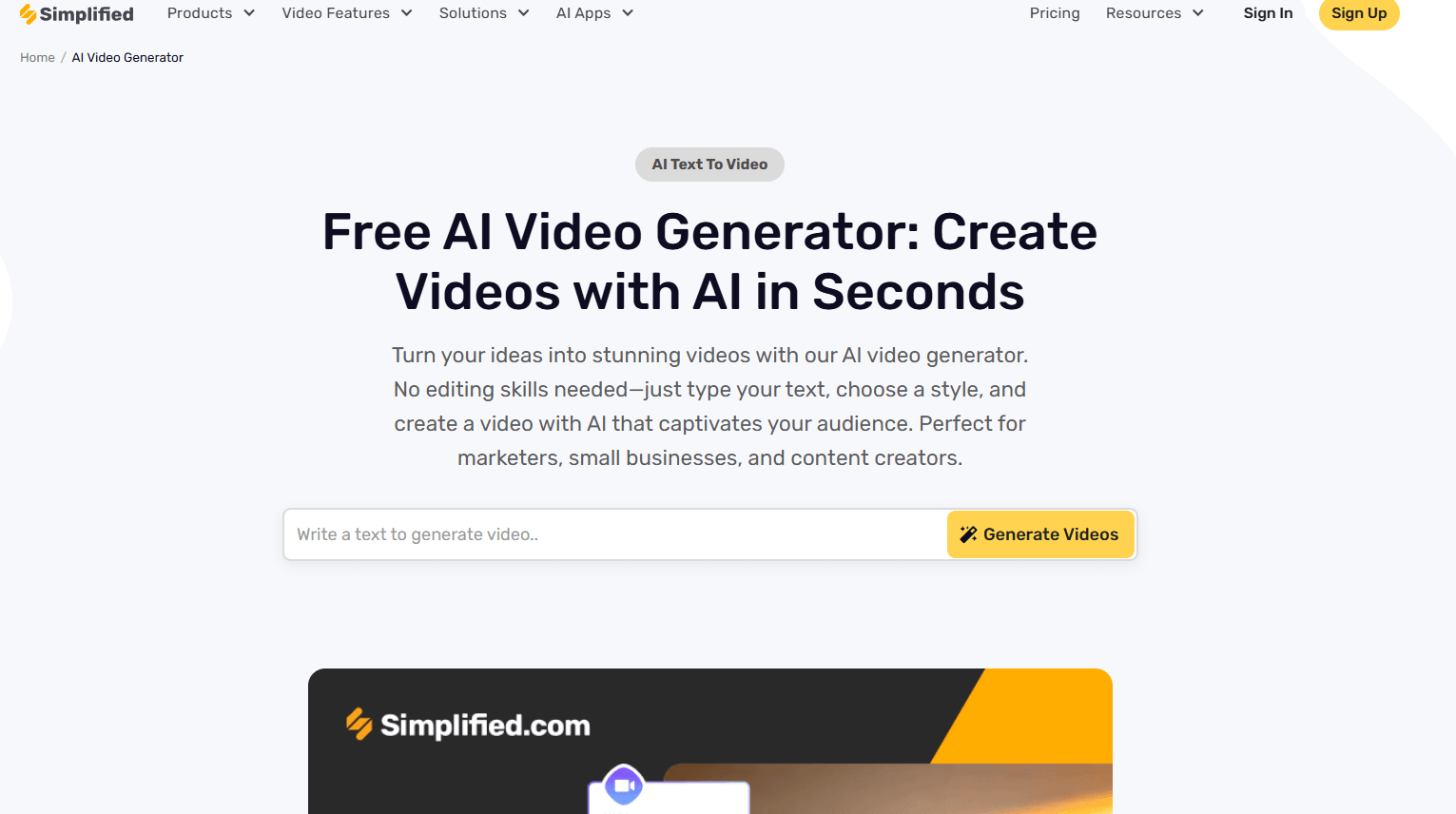
If you want a tool that can turn your ideas into videos in minutes, Simplified AI Video Generator is an excellent choice. Whether you have a script, a blog post, or just a rough idea, it can transform it into a ready-to-publish video without any complicated editing.
Key Features:
- AI Video Generation: Simply input your text or script and the image you want moving in your desired way, and the tool automatically generates a video with animations and transitions. Perfect for turning marketing messages into engaging videos.
- Templates: Pre-designed templates for social media posts, product demos, marketing campaigns, or educational content.
- Auto-Captions: Captions are generated automatically, making your videos more accessible and viewer-friendly, especially on platforms where many watch without sound.
- Voiceovers: AI-generated voiceovers bring your video to life without needing to record audio yourself.
- Quick Editing: Easily adjust visuals, text, and clips in just a few clicks, saving hours of manual editing.

Why it’s useful for marketers:
Simplified AI Video Generator is a huge time-saver for small teams and solo creators. With features like AI Video Generation, auto-captions, and voiceovers, you can quickly produce professional videos for social media, ads, or email campaigns. It lets you focus on sharing your message instead of worrying about the technical details of video production.
2. Animoto
Animoto is perfect for creating quick promotional and social media videos. Its drag-and-drop interface makes it easy to create polished videos without any technical skills.

Key Features:
- Ready-to-use templates for product demos, tutorials, and social media campaigns.
- Stock images, video clips, and music included in the platform.
- Simple editing tools to customize colors, fonts, and transitions.
Why it’s useful for marketers:
Animoto works well for marketers who need to create professional-looking videos fast. Whether you want to showcase a new product or post regular social media updates, Animoto makes the process simple and approachable.
3. Fliki
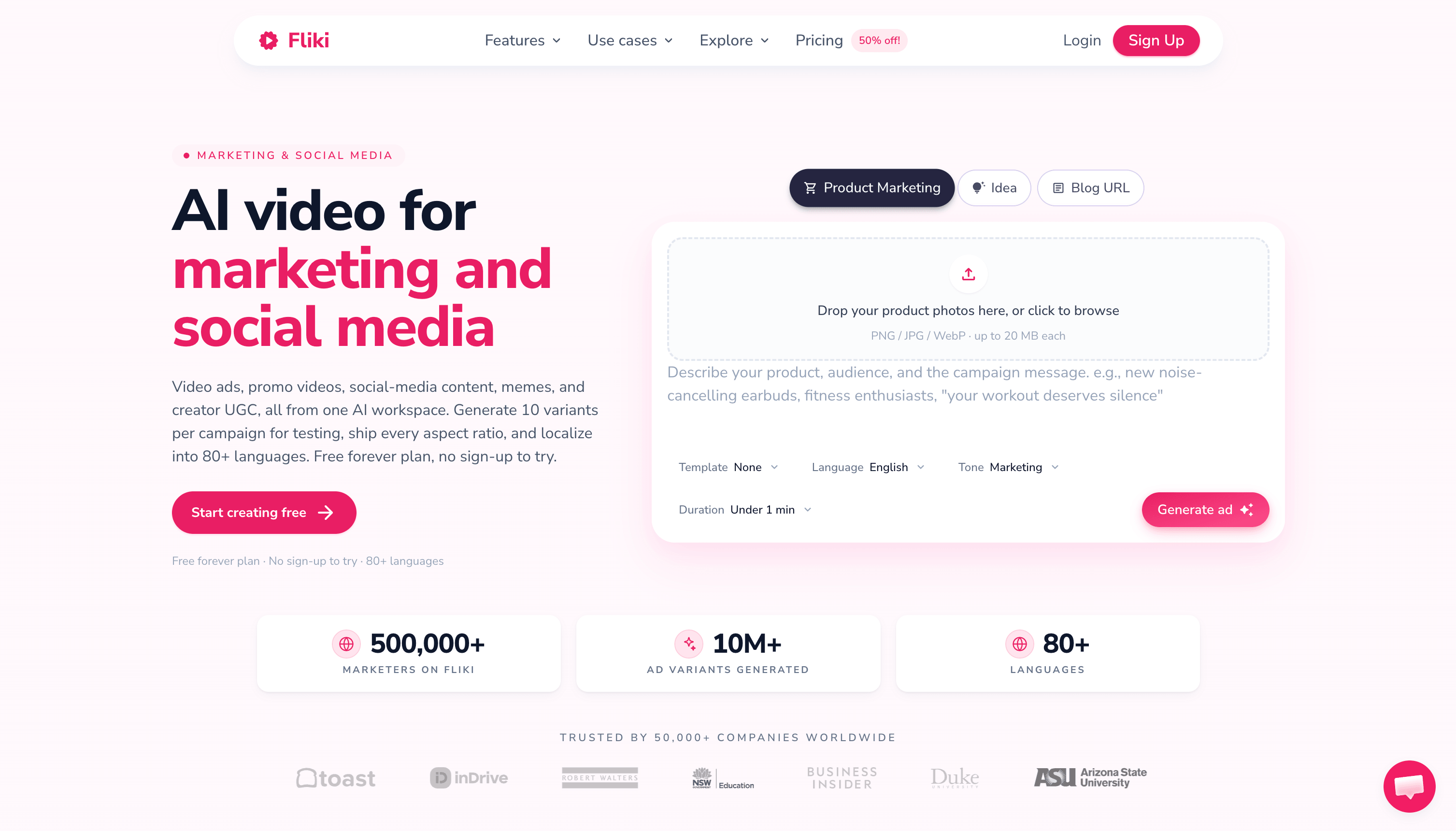
If you want to turn text into videos with lifelike AI voices,, Fliki is a strong option.Now used by over 12 million creators worldwide, it’s built for marketers and content creators who want to convert scripts, blog posts, or a single prompt into polished videos with realistic voiceovers in just a few clicks.
Key Features:
- Text-to-Video: Paste a script, blog post, or one-line prompt and Fliki writes the script, picks visuals, and adds voiceover, music, and subtitles to deliver a publish-ready video in minutes.
- AI Voiceovers & Voice Cloning: A library of 2,000+ lifelike AI voices across 80+ languages and dialects, with the option to clone your own voice from a short sample and use it in any language.
- AI Avatars (Digital Twin): Record yourself once to create an AI version of you that presents and speaks in 80+ languages, so you can scale video output without filming.
- Content Series: Set a topic, style, and posting schedule, and Fliki plans and scripts upcoming videos to keep you consistent on TikTok, YouTube, and Shorts.
- Branding & Multi-Format: Add logos, brand colors, and fonts, and export in the right aspect ratio for any platform.
Why it’s useful for marketers:
Fliki is ideal for content repurposing and scaling video output. Marketers can quickly turn articles, product descriptions, or social posts into videos with natural-sounding narration and even produce faceless or AI-avatar videos without recording audio, filming, or editing manually. With support for 80+ languages and built-in series planning, it makes it easy to publish consistent, multilingual video content for social media, ads, and educational use.
4. Pictory
Pictory is an AI-powered tool that converts scripts or blog posts into short videos automatically. It’s particularly useful if you want to repurpose existing content.
Key Features:
- Converts long-form text into short, engaging videos.
- Automatic captioning for better accessibility.
- AI selects visuals that match your script.
Why it’s useful for marketers:
If you’re creating content from blogs, newsletters, or other written material, Pictory saves time by turning that content into a visual format. It helps reach audiences who prefer watching over reading.
5. Lumen5
Lumen5 transforms articles, blog posts, or text-based content into video snippets using AI-generated visuals and animations.

Key Features:
- Automatic matching of text to visuals and music.
- Drag-and-drop editing to tweak scenes or add text.
- Optimized for social media platforms.
Why it’s useful for marketers:
Lumen5 is ideal for social media marketing because it creates visually engaging content quickly. You can turn your blog posts or updates into short videos that grab attention without needing professional filming skills.
6. InVideo
InVideo offers a combination of templates, stock footage, and editing tools for marketing, educational, or promotional videos.
Key Features:
- Templates for almost any type of video, from ads to tutorials.
- Stock footage, music, and visual elements included.
- Voiceovers and automated editing options.
Why it’s useful for marketers:
InVideo allows marketers to produce videos that look polished and professional without spending a lot of time. It’s especially helpful for small teams who need variety in their video content while maintaining quality.
Benefits of Using Video marketing Tools
These tools save time, don’t require technical skills, and let you post videos more consistently. Lets find out how:
1. Faster Video Creation and Editing
AI video generators can dramatically reduce the time it takes to produce videos. Instead of manually shooting footage, editing clips, adding animations, or syncing audio, the AI handles most of these tasks automatically. For instance, you can input a script or a set of images, and the tool can create a fully animated video within minutes. This is perfect if you need to produce content quickly for social media campaigns, ads, or presentations.
2. Easy Access for Non-Technical Users
One of the biggest advantages is that you don’t need to be a video editing expert. Video marketing tools are designed with user-friendly interfaces where anyone, regardless of technical skill, can create professional-looking videos. Many platforms offer drag-and-drop editors, pre-designed templates, and automated suggestions for visuals and audio.
3. Cost-Effective Compared to Hiring a Team
Hiring a full video production team can be expensive—costs for filming, editing, sound design, animations, and post-production add up quickly. Video marketing tools significantly cut these costs since most of the work is automated, and subscription plans are often affordable.
4. Helps Maintain Consistent Video Posting Schedules
Consistency is crucial for building an audience, especially on social media platforms. AI video tools make it easier to produce videos regularly because the creation process is faster and simpler. Many tools also integrate with scheduling platforms, so you can plan your content calendar ahead of time.
How to Create Videos Without a Production Team
Now let’s go ahead and see how video marketing tools actually work, using an example. I’ve picked Simplified since it’s at the top of my list. Let’s check out how it helps you create videos quickly, even without a production team. Here’s a step-by-step guide to help you get started:
Step 1: Access the AI Video Generator Tool
First, sign up or log in to Simplified’s platform. Once you’re in, you’ll see a dashboard filled with different tools. Click on the “AI Video Generator” option to start creating your video.
Step 2: Enter Your Text Prompt and Customize Your Settings
Now, describe the video you want to create in simple text. You can type a script, an idea, or even just a brief outline. The AI will use this text to generate your video, making it a fast way to bring your concepts to life.
Prompt we Used: A cheerful girl decorating a Christmas tree with colorful ornaments and twinkling lights, smiling warmly at the camera as she hangs each decoration. Soft festive lighting, cozy living room background, capturing the joy and holiday spirit. Close-ups of her hands placing ornaments and her happy expression facing the screen.

Next, adjust the settings to fit your needs. Choose the video duration and aspect ratio—for example, square videos for Instagram, vertical for TikTok, or horizontal for YouTube. Customizing these options ensures your content looks perfect on every platform.
Step 3: Upload an Image
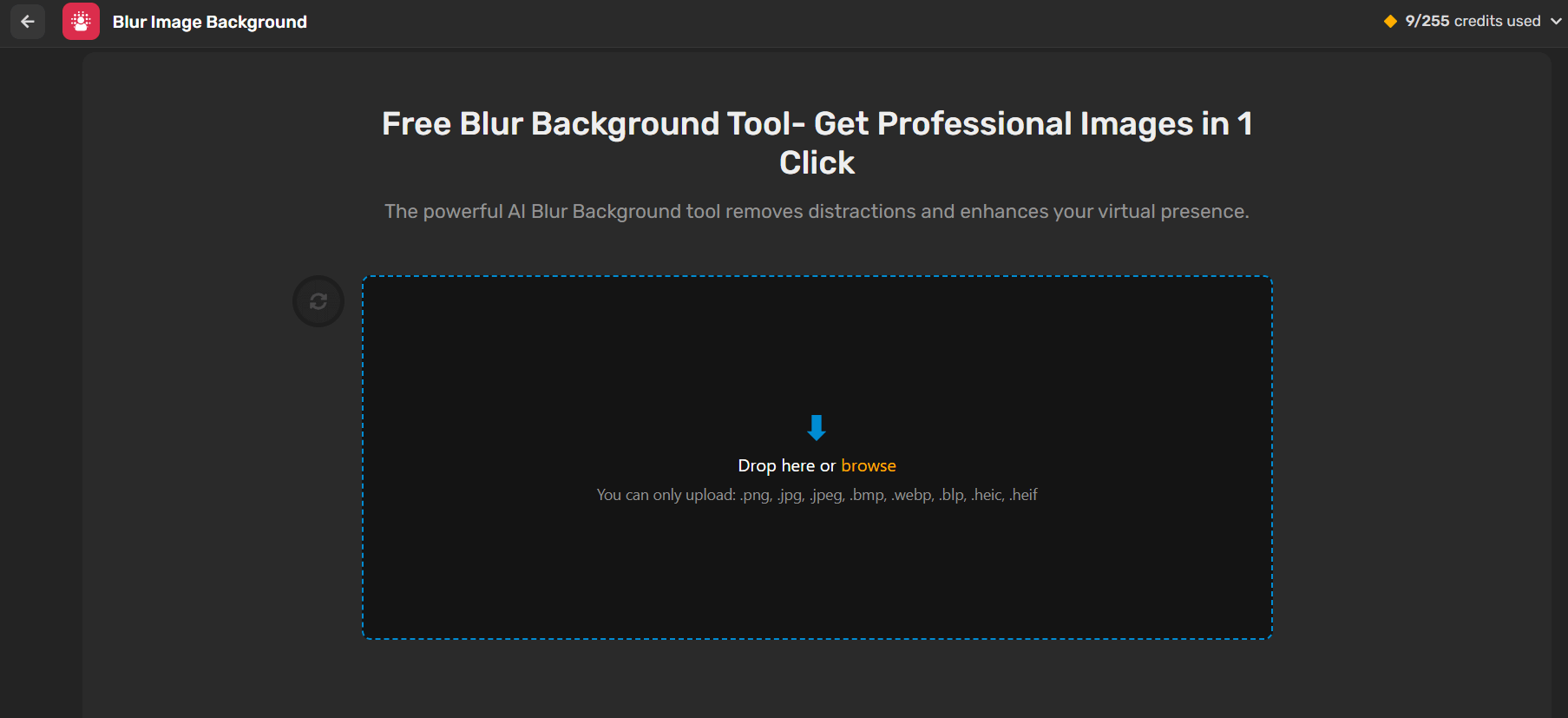

If you want specific visuals, you can upload images or other media. This step lets you add a personal touch to your video, ensuring it matches your brand or creative vision.
You can also specify what you don’t want in your video. For example, if you want to avoid certain colors, objects, or backgrounds, simply include them as negative prompts. This helps the AI generate a video that aligns more closely with your expectations.
Step 6: Generate Your Video
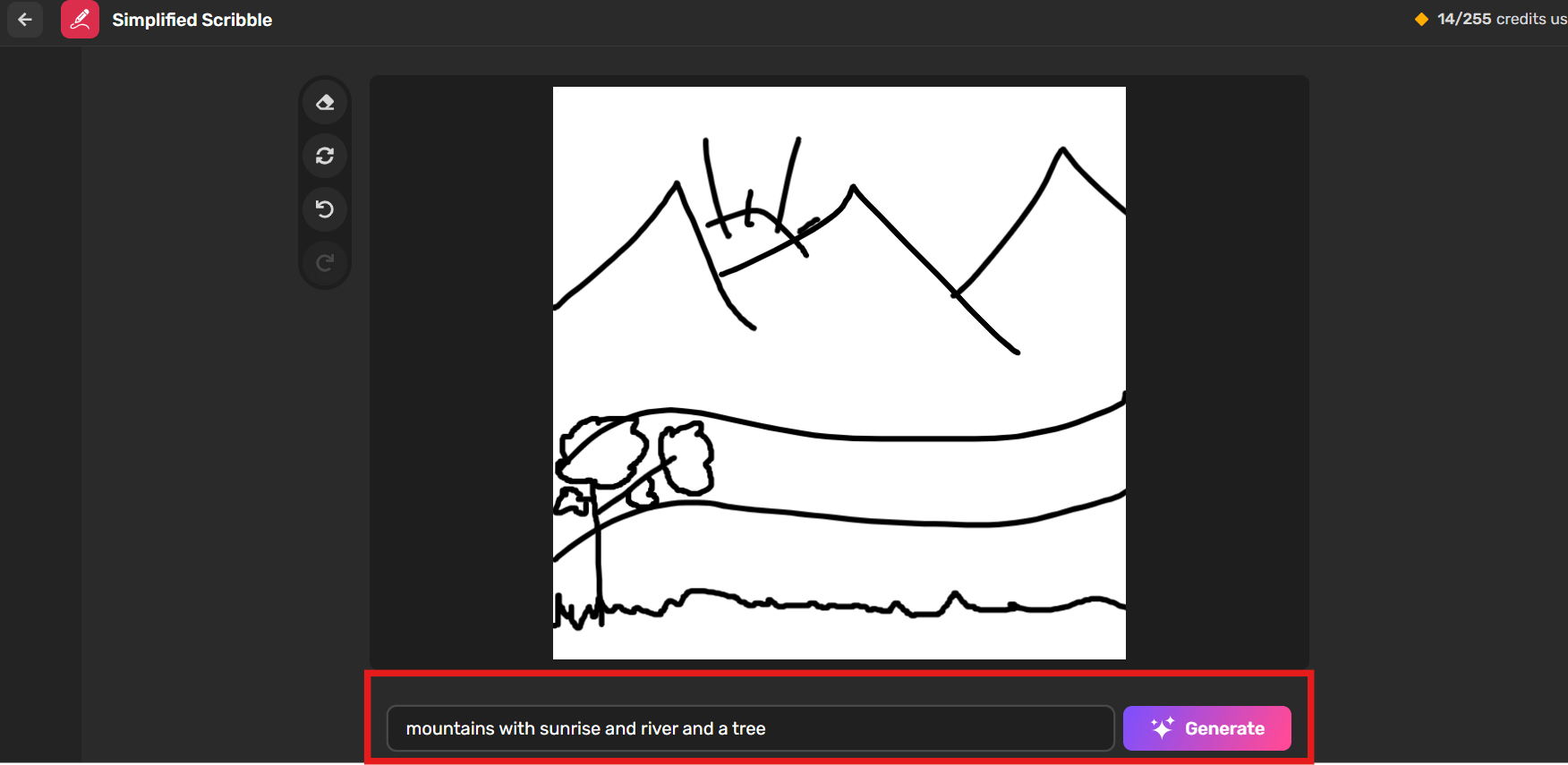
Once everything is set, click the “Generate” button. The AI will process your text, images, and settings, then create a video automatically. You can sit back and watch your idea transform into a finished video.
Step 7: Review & Finalize

Preview the generated video and make any necessary edits. You can generate variations if you want different versions or change the image, captions, or transitions.
When you’re happy, download the final video and get ready to share it with your audience.
Tips for Getting the Most Out of Video Marketing Tools
1. Track Performance
Monitor video metrics like views, watch time, and click-throughs. Use this data to learn what works best and improve your future videos.
2. Plan Your Videos in Advance
Before opening a tool, outline your video’s goal. Whether it’s a product demo, tutorial, or social media post, knowing your purpose will make creating videos faster and more focused.
3. Optimize for Each Platform
Adjust your video’s aspect ratio for the platform. For example, square videos work best on Instagram, vertical for TikTok or Stories, and horizontal for YouTube. Tailoring your video format improves audience reach and engagement.
4. Add Captions
Many viewers watch videos without sound. Adding captions ensures your message is clear and accessible, increasing the likelihood that people will watch your videos all the way through.
5. Incorporate Your Brand Elements
Use your logo, colors, and fonts consistently. This helps viewers instantly recognize your content and reinforces brand identity across all videos.
7. Experiment with AI Features
Take advantage of AI features like text-to-video, automated voiceovers, and suggested visuals. Testing these options can save time and help you create more dynamic videos.
8. Repurpose Existing Content
Turn blog posts, newsletters, or social media updates into video content. Repurposing saves time and helps you reach audiences who prefer visual content over text.
9. Review and Edit Carefully
Even with AI, reviewing your video ensures it aligns with your goals. Make small edits to timing, text, or visuals to make the final video polished and professional.
10. Post Consistently
Regular posting keeps your audience engaged and improves visibility. Schedule videos in advance using the platform’s scheduling tools to maintain consistency without stress.
Final thoughts
You don’t need a full production team to make professional-looking videos anymore. The barriers that once made video creation expensive and time-consuming have been dismantled by AI technology.
What used to require:
- A professional camera crew
- Skilled video editors
- Costly equipment and studio space
- Weeks of production time
- Thousands of dollars in budget
…can now be achieved by one person using an video marketing tool — often in minutes instead of days.
With today’s powerful video marketing tools, anyone can plan, edit, and publish high-quality videos right from their laptop. Whether you’re promoting a product, building your brand, or connecting with your audience on social media, these tools make the process simpler and faster than ever.
The key is to focus on storytelling, clarity, and consistency — the technology will take care of the rest. Start exploring tools that fit your goals, experiment with formats, and refine your creative style. In the end, great video marketing isn’t about the size of your team — it’s about the creativity and strategy behind every frame.
Some FAQs
1. What are video marketing tools?
Video marketing tools are software platforms that assist in creating, editing, and distributing videos for marketing purposes. They often include features like templates, AI-generated voiceovers, stock footage, and analytics to streamline the video production process.
2. Can I create professional videos without a production team?
Absolutely! AI-powered video marketing tools enable individuals and small businesses to produce high-quality videos without the need for a dedicated production team. Platforms like Simplified and Animoto offer user-friendly interfaces that simplify the video creation process.
3. Which video marketing tool is best for beginners?
For beginners, tools like Simplified and Animoto are highly recommended due to their intuitive interfaces and pre-designed templates. These platforms allow users to create professional-looking videos with minimal effort and experience.
4. Are video marketing tools suitable for small businesses?
Yes, video marketing tools are particularly beneficial for small businesses. They offer cost-effective solutions to produce high-quality content, helping businesses enhance their online presence and engage with their audience effectively.
5. What types of videos can I create with Video marketing tools?
Video marketing tools enable the creation of various types of videos, including:
- Product Demos: Showcase the features and benefits of your products.
- Tutorials: Provide step-by-step instructions on using your products or services.
- Testimonials: Share customer experiences and feedback.
- Promotional Videos: Highlight special offers or events.
6. Do I need advanced technical skills to use video marketing tools?
No, most video marketing tools are designed to be user-friendly, requiring minimal technical skills. They often come with drag-and-drop interfaces and pre-built templates to simplify the video creation process.
7. Can I repurpose my blog content into videos?
Yes! Tools like Pictory and Simplified allow you to convert blog posts, scripts, or newsletters into short, engaging videos. This helps reach audiences who prefer watching over reading.